# Analytics and Reporting

# Campaign Analytics

#### ****To view analytics for a Campaign:****

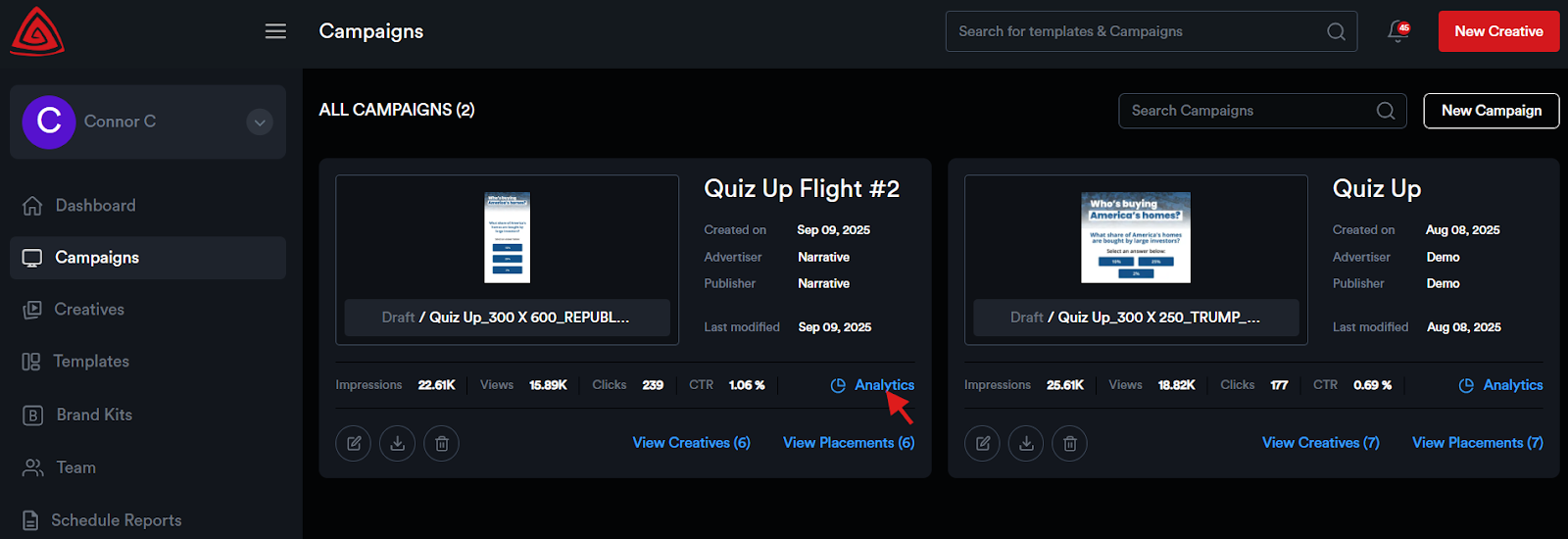
<span style="color: rgb(0, 0, 0); white-space: pre-wrap;">Navigate to the </span>****‘Campaigns’****<span style="color: rgb(0, 0, 0); white-space: pre-wrap;"> module and click the </span>****Analytics icon****<span style="color: rgb(0, 0, 0); white-space: pre-wrap;"> for the desired campaign.</span>

![](https://docs.adctv.com/uploads/images/gallery/2025-11/embedded-image-3yoa62kb.png)

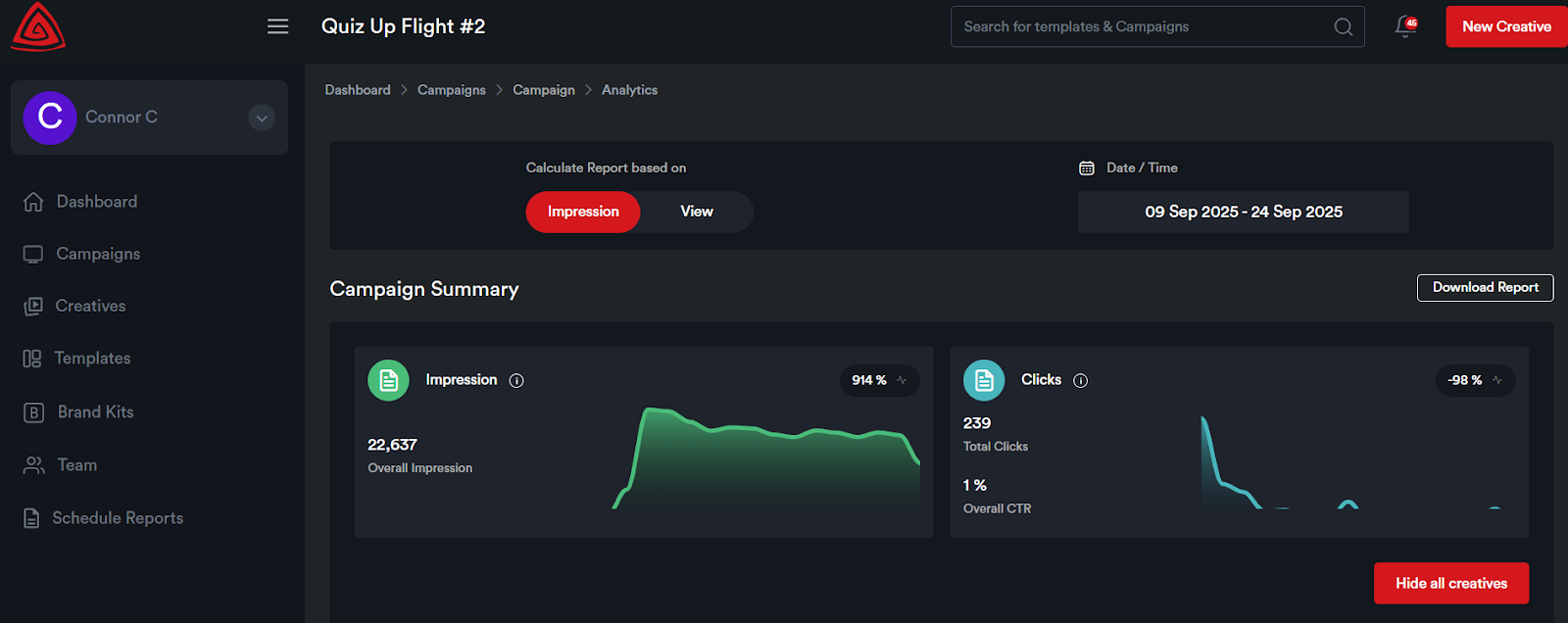
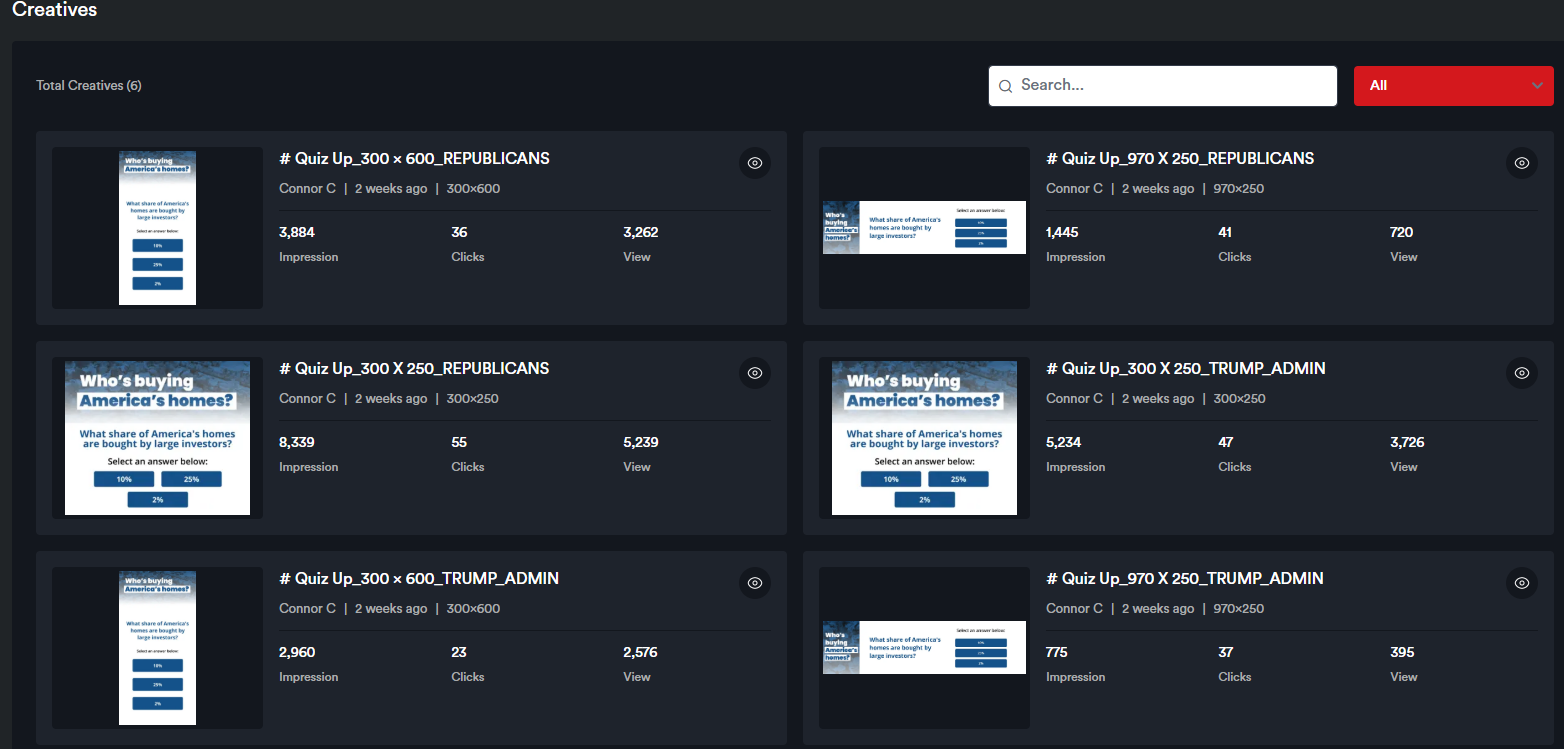
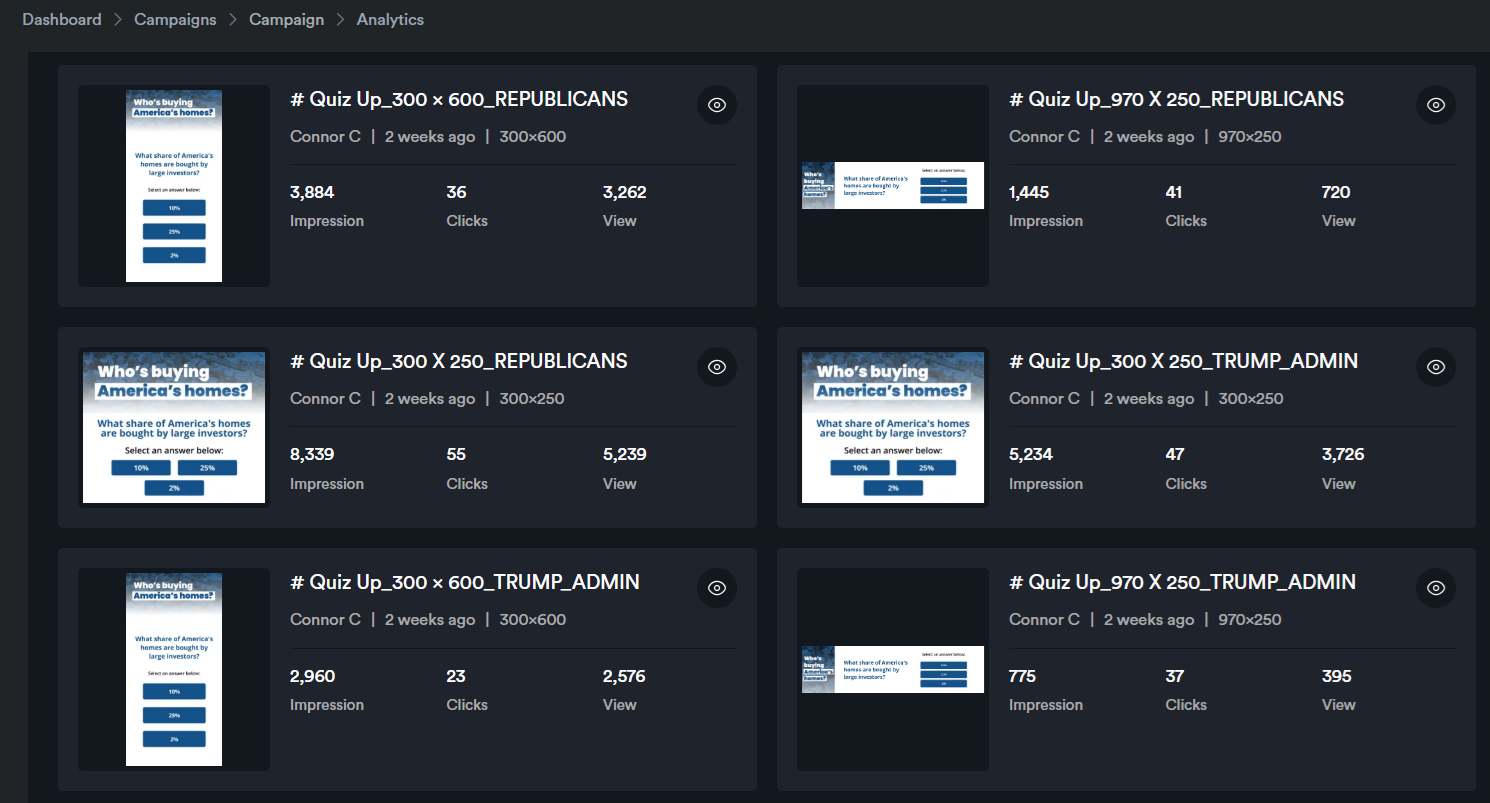
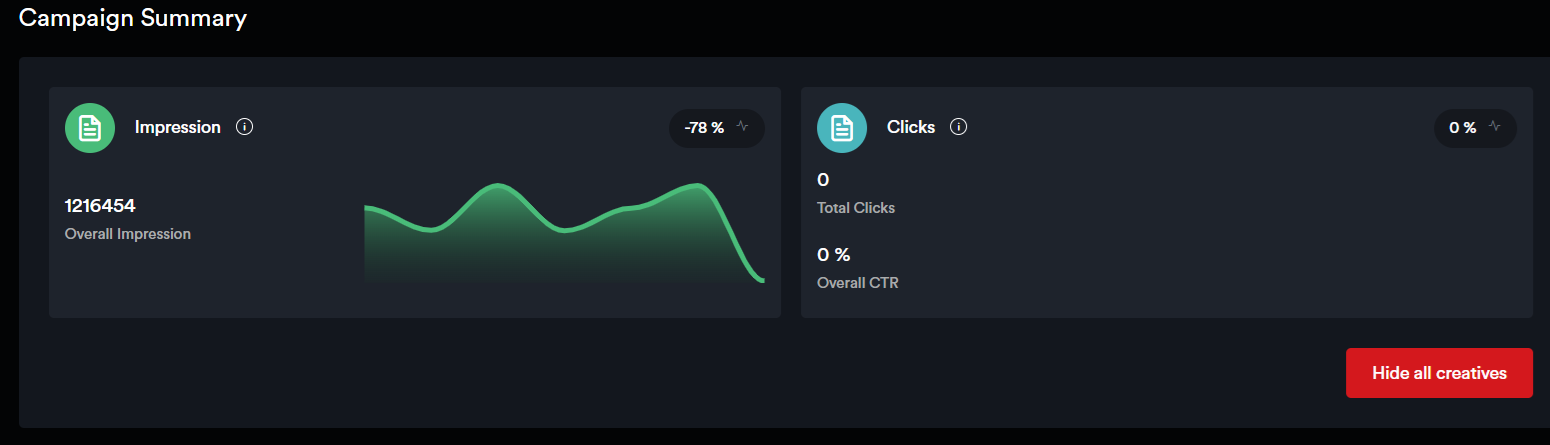
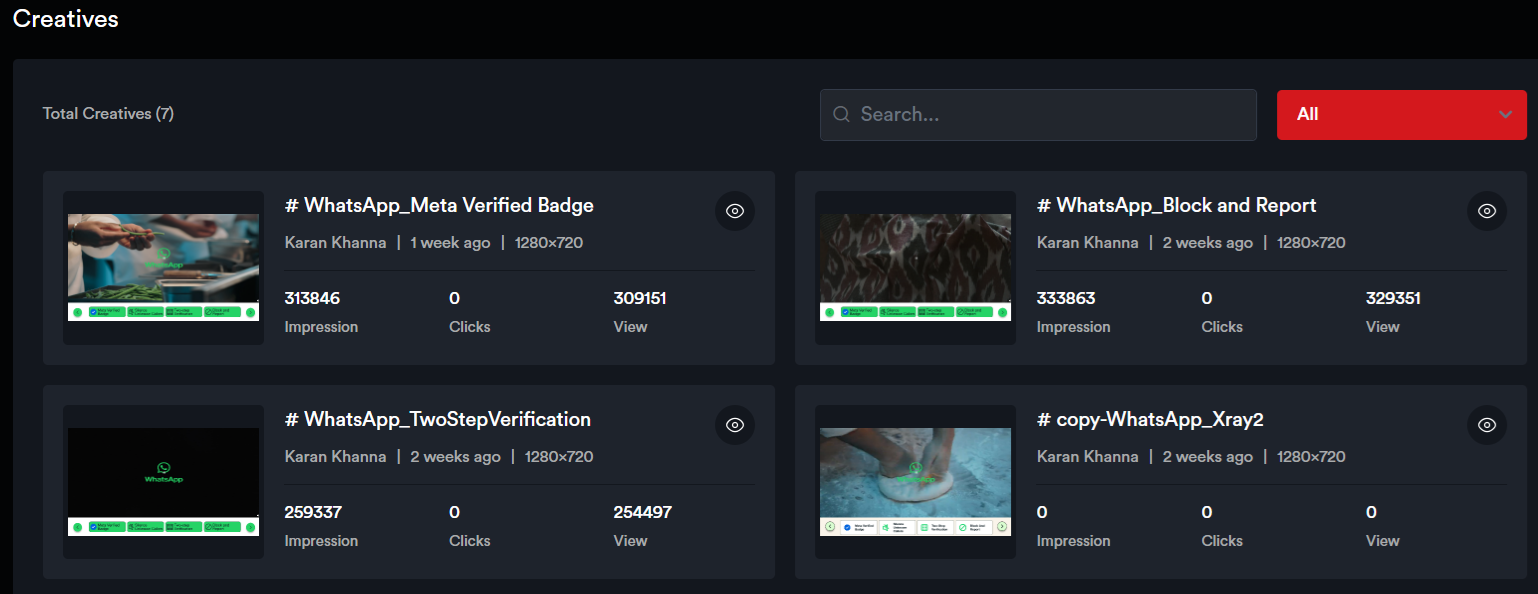
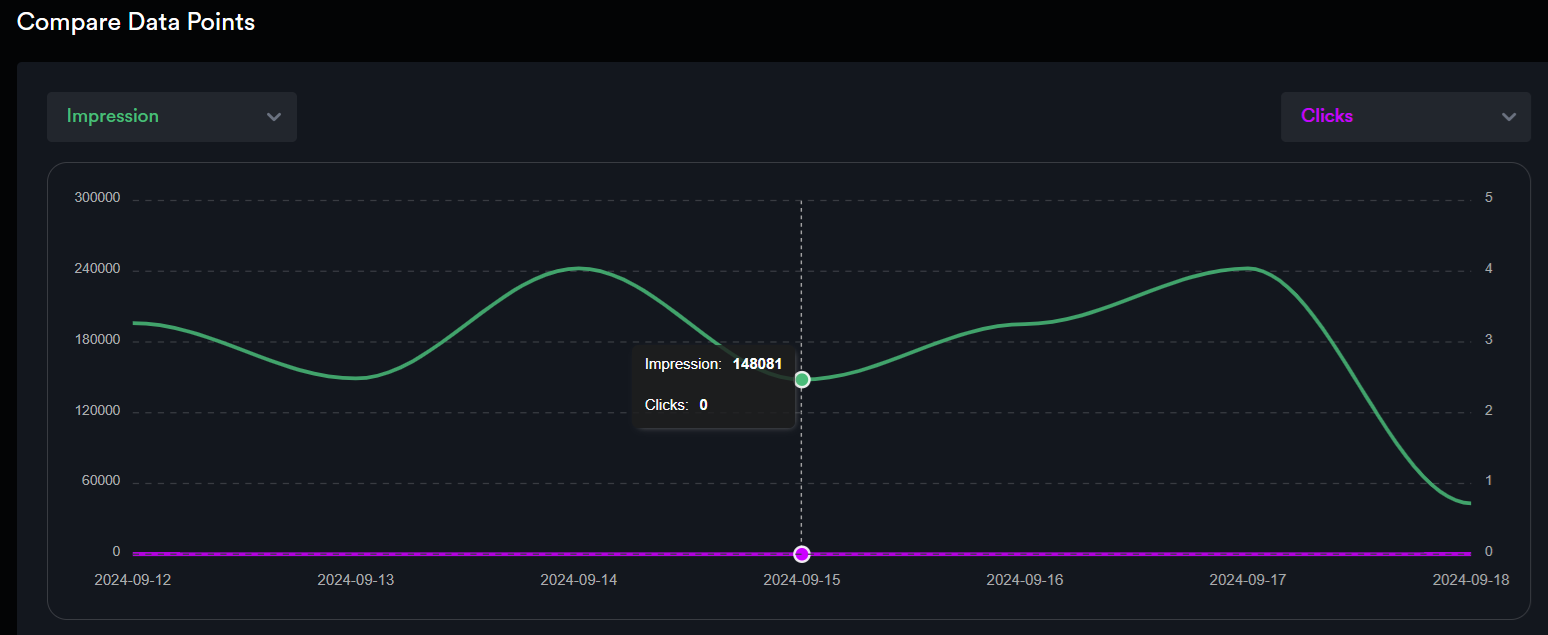
<span style="color: rgb(0, 0, 0); white-space: pre-wrap;"> You’ll see a </span>****campaign summary****<span style="color: rgb(0, 0, 0); white-space: pre-wrap;"> along with individual creative analytics displayed on each creative card.</span>

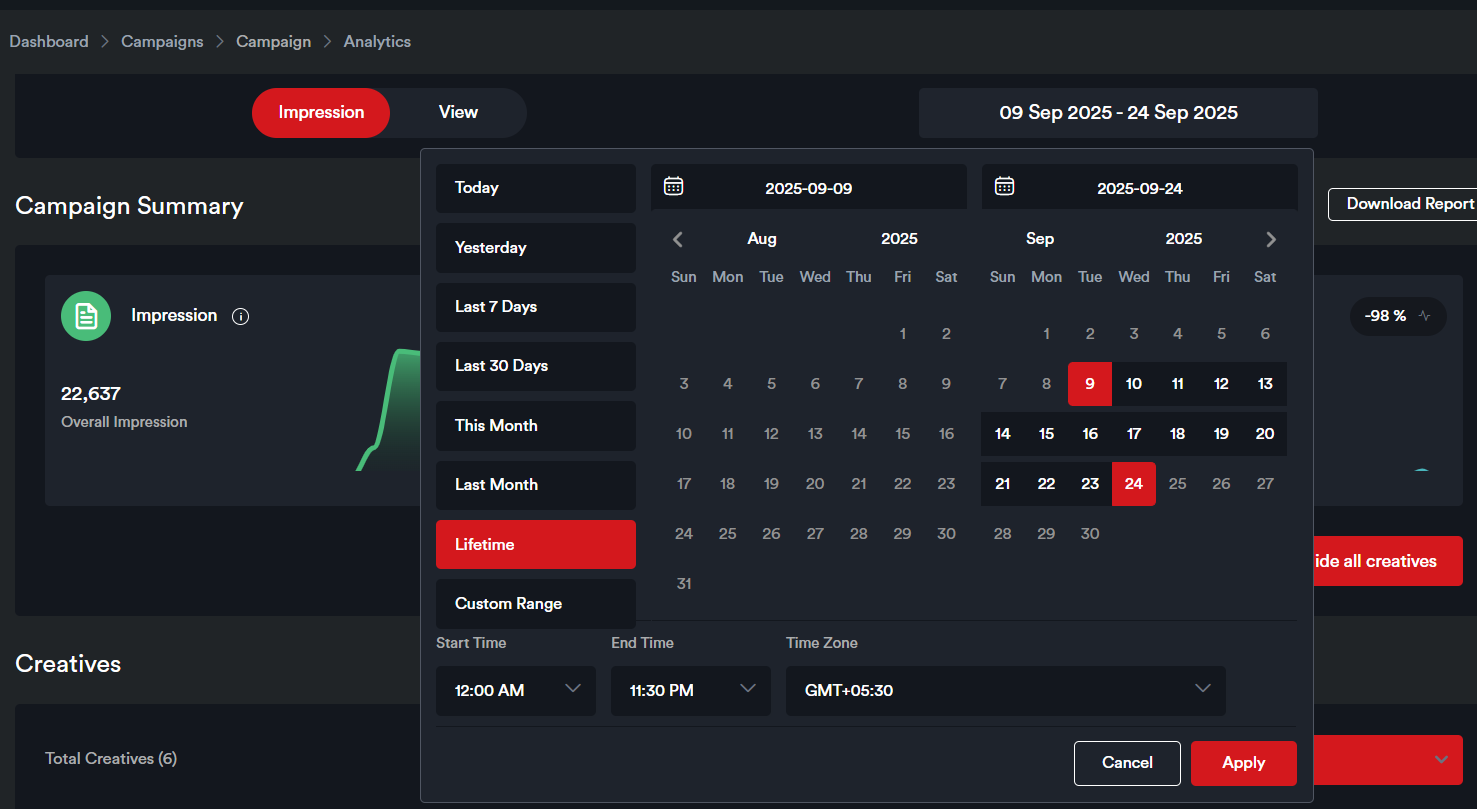
<span style="color: rgb(0, 0, 0); white-space: pre-wrap;"> The default date range for which the Analytics are displayed on this page is the last seven days. The date range can be modified by selecting from the date range picker.</span>

![](https://docs.adctv.com/uploads/images/gallery/2025-11/embedded-image-zj6r65ai.png)

![](https://docs.adctv.com/uploads/images/gallery/2025-11/embedded-image-fnvbj9ah.png)

![](https://docs.adctv.com/uploads/images/gallery/2025-11/embedded-image-geshguxi.png)

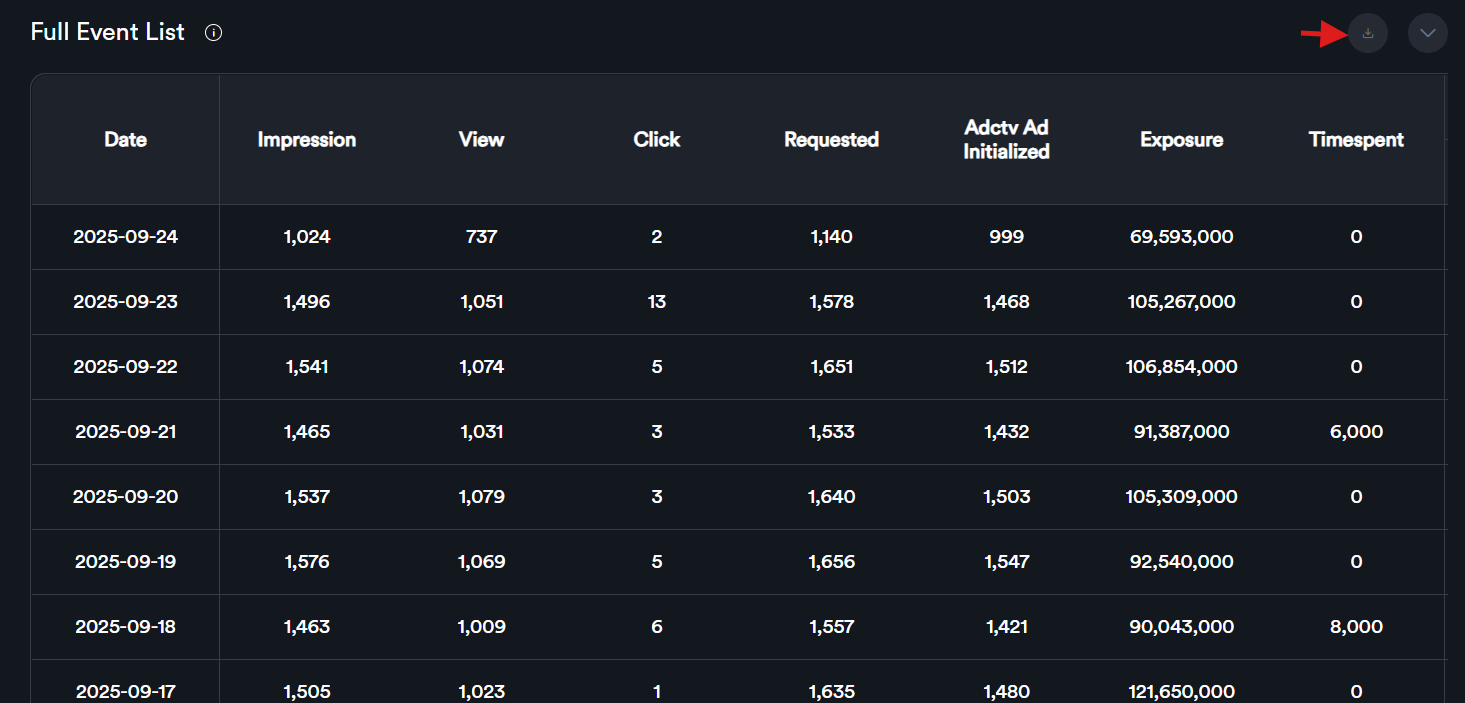
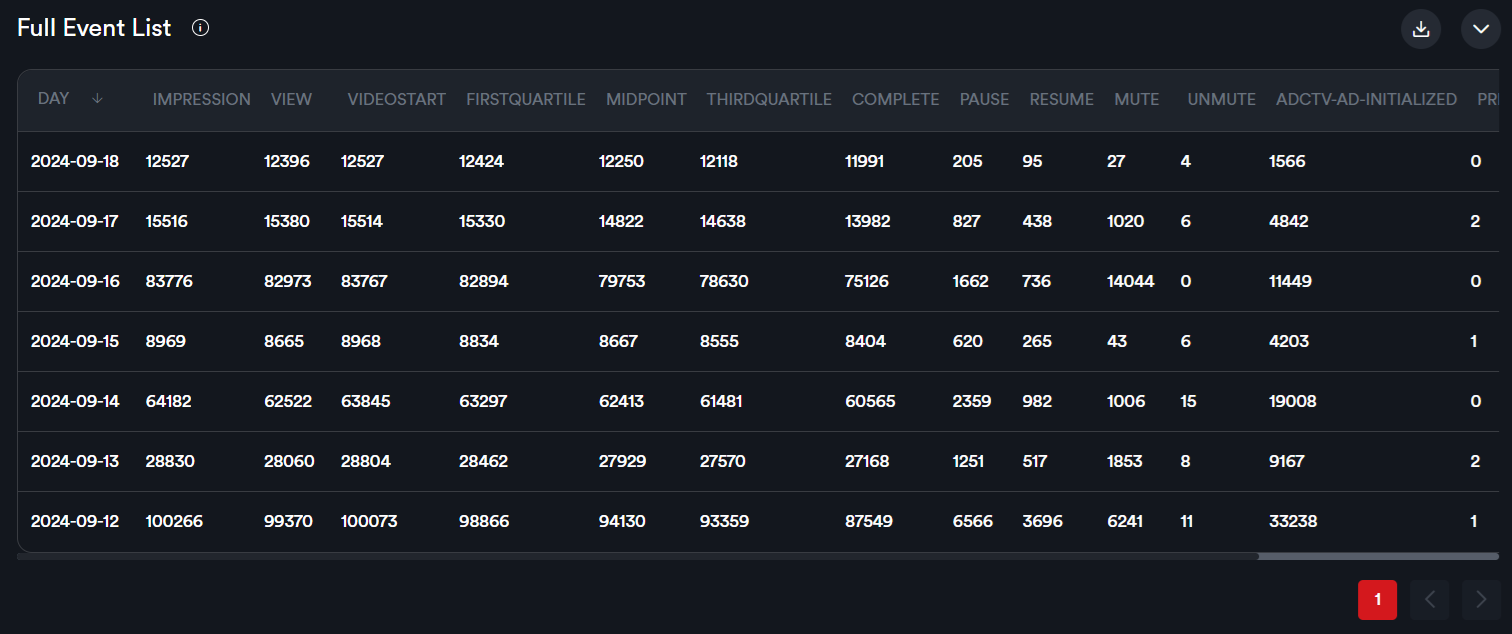
<span style="color: rgb(0, 0, 0);">Scroll down to the ‘</span>****Full Event List****<span style="color: rgb(0, 0, 0); white-space: pre-wrap;">’ table to view data for individual metrics. </span>

<span style="color: rgb(0, 0, 0); white-space: pre-wrap;">To download the report, click the </span>****Download****<span style="color: rgb(0, 0, 0); white-space: pre-wrap;"> button to export the data in Excel format.</span>

![](https://docs.adctv.com/uploads/images/gallery/2025-11/embedded-image-46bdxh2i.png)

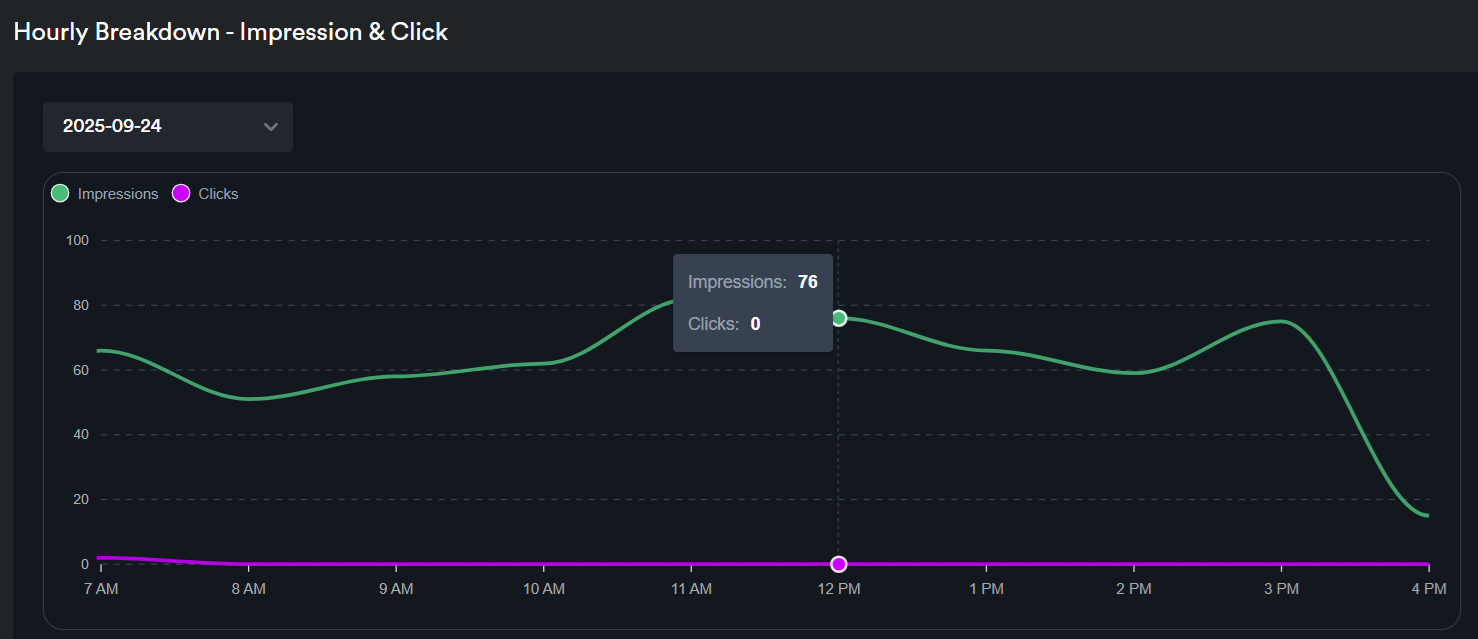
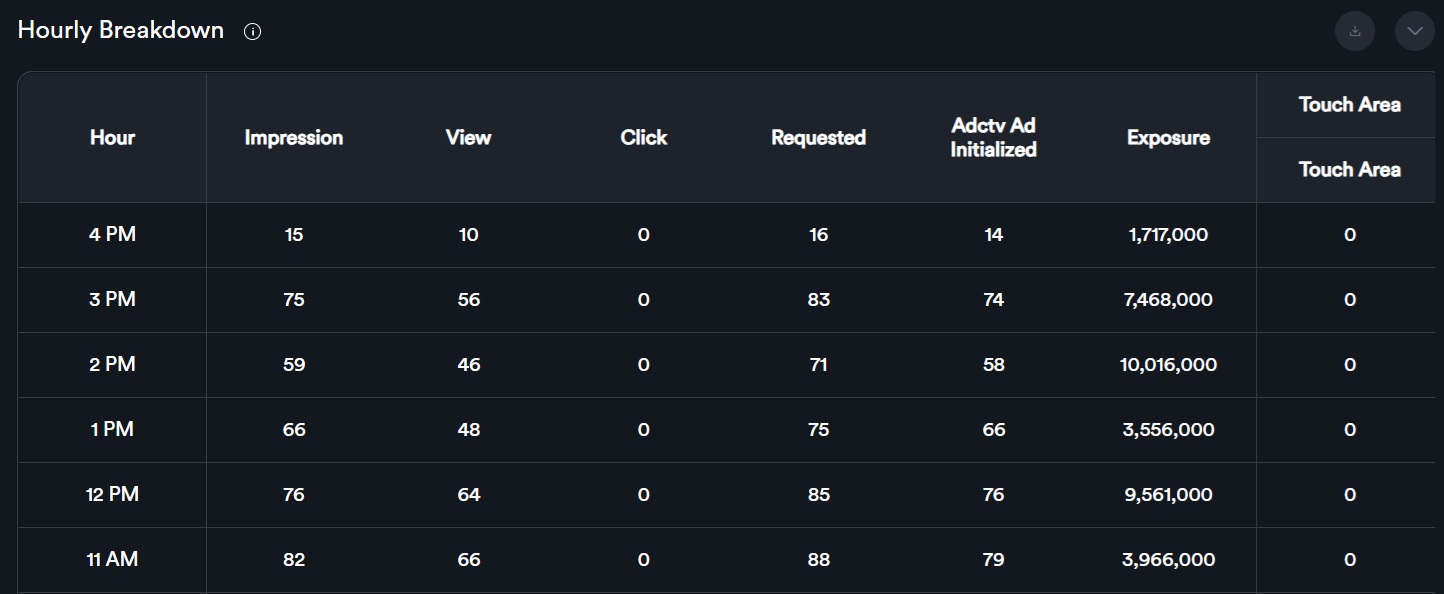
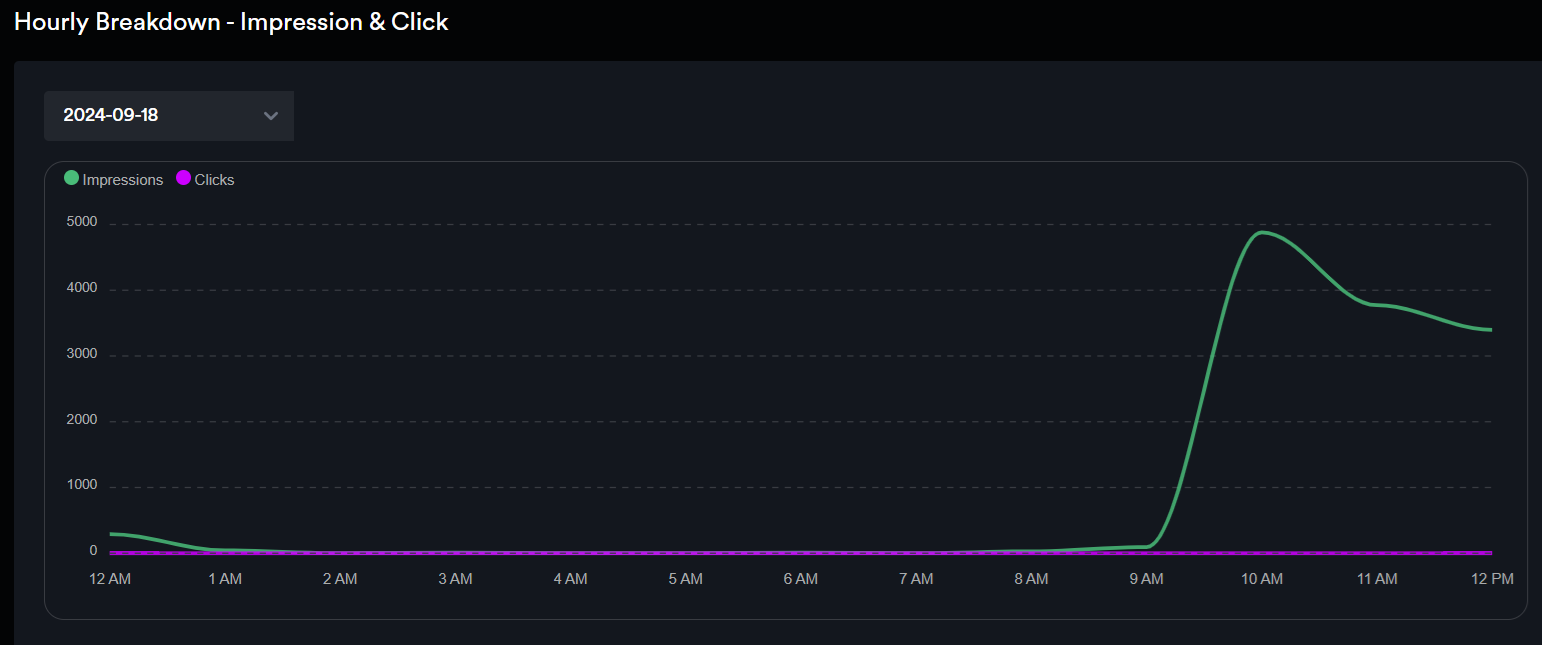
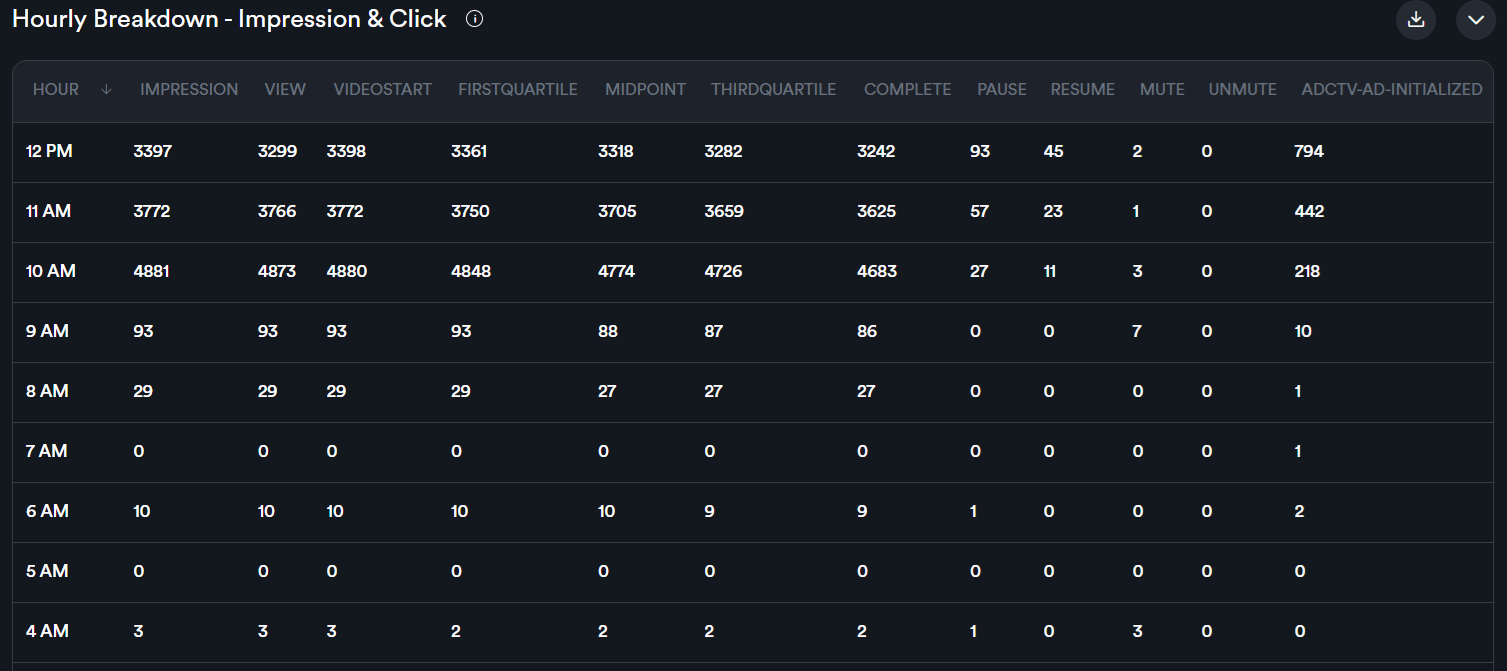
<span style="color: rgb(0, 0, 0); white-space: pre-wrap;"> If you scroll down, you will see the hourly breakdown statistics displayed both as a graph and in a table. Hourly reports are available only on a per-day basis.</span>

![](https://docs.adctv.com/uploads/images/gallery/2025-11/embedded-image-j6o1uaag.png)

![](https://docs.adctv.com/uploads/images/gallery/2025-11/embedded-image-gph2frz0.png)

# Creative Analytics

#### <span style="color: rgb(0, 0, 0);">For</span> ****detailed analytics on a specific creative****<span style="color: rgb(0, 0, 0);">, either:</span>

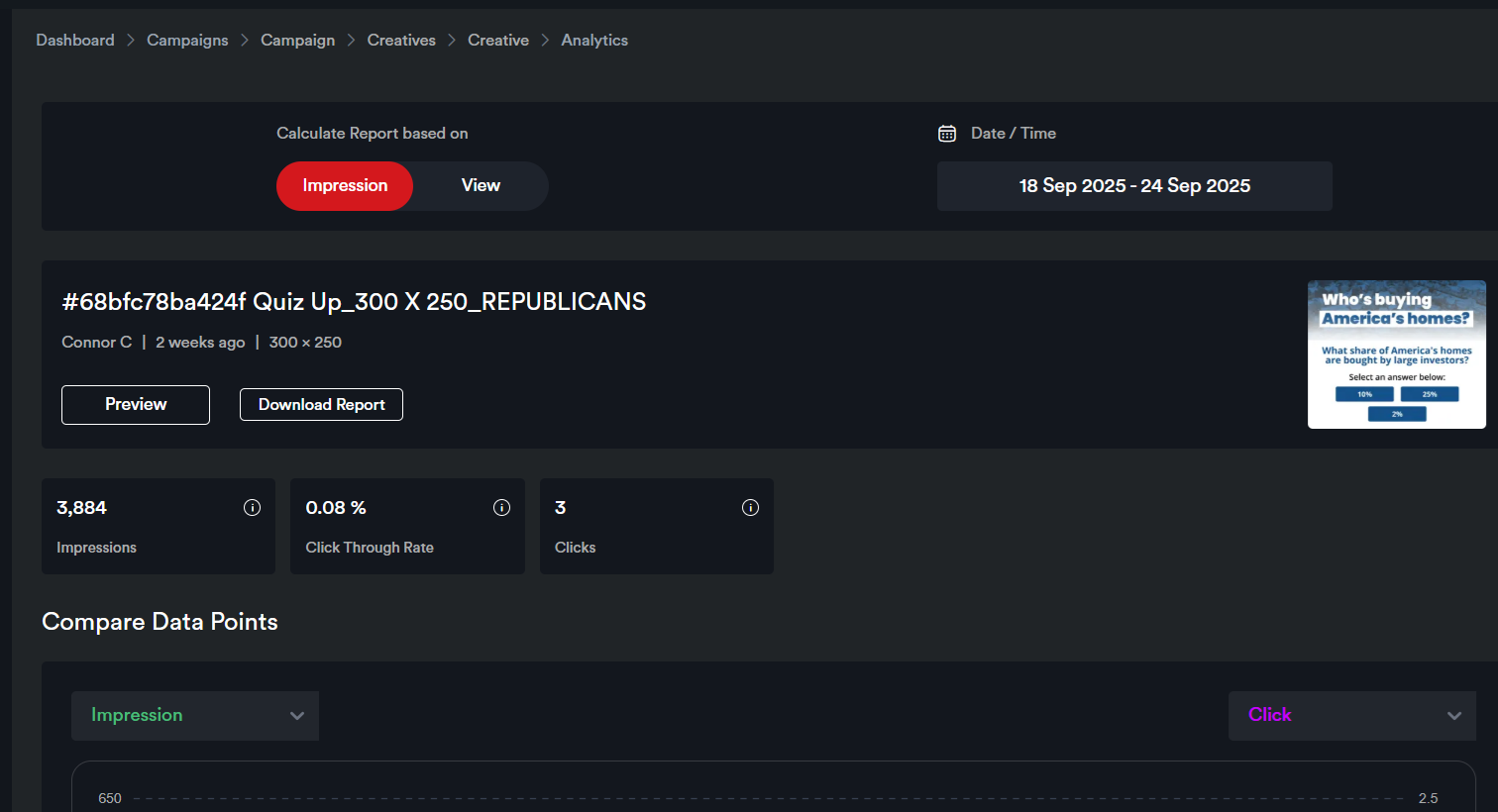
<span style="color: rgb(0, 0, 0); white-space: pre-wrap;"> Click directly on the </span>****creative summary card**** <span style="color: rgb(0, 0, 0); white-space: pre-wrap;">on the campaign analytics page, which will take you to the </span>****Creative Analytics****<span style="color: rgb(0, 0, 0); white-space: pre-wrap;"> page, or</span>

  
![](https://docs.adctv.com/uploads/images/gallery/2025-11/embedded-image-eyjadelg.png)

<span style="color: rgb(0, 0, 0);">Open the campaign and navigate to the analytics page from the selected creative card.</span>

![](https://docs.adctv.com/uploads/images/gallery/2025-11/embedded-image-dbs3uqa5.png)

![](https://docs.adctv.com/uploads/images/gallery/2025-11/embedded-image-hwtbkjzz.png)

# Placement Analytics

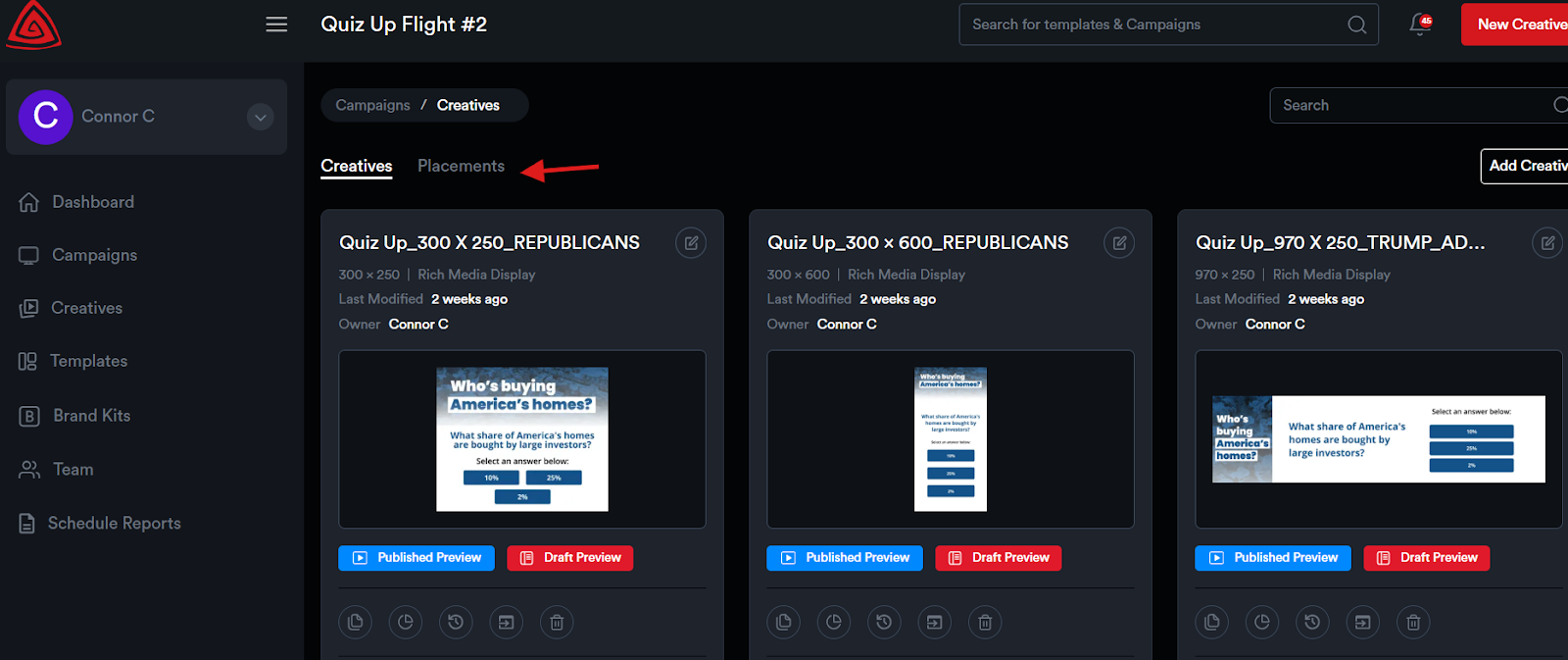
<span style="color: rgb(0, 0, 0); white-space: pre-wrap;">To view analytics at the </span>****Placement**** <span style="color: rgb(0, 0, 0);">level:</span>

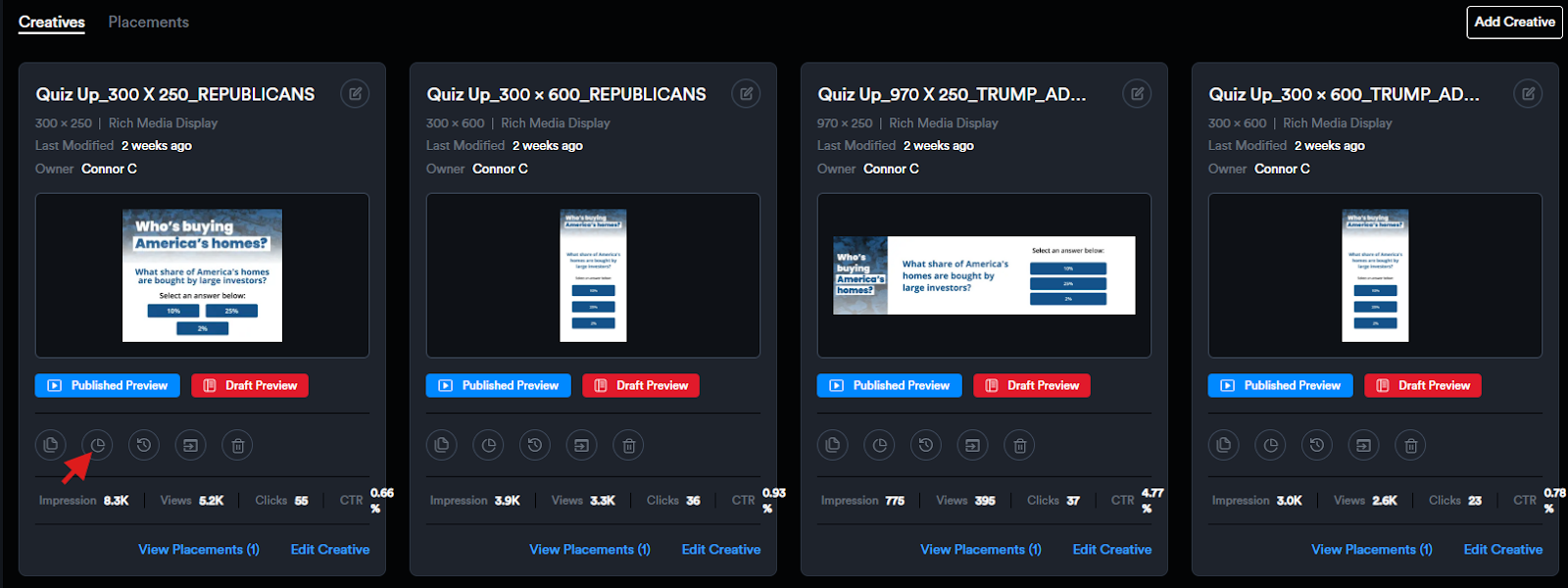
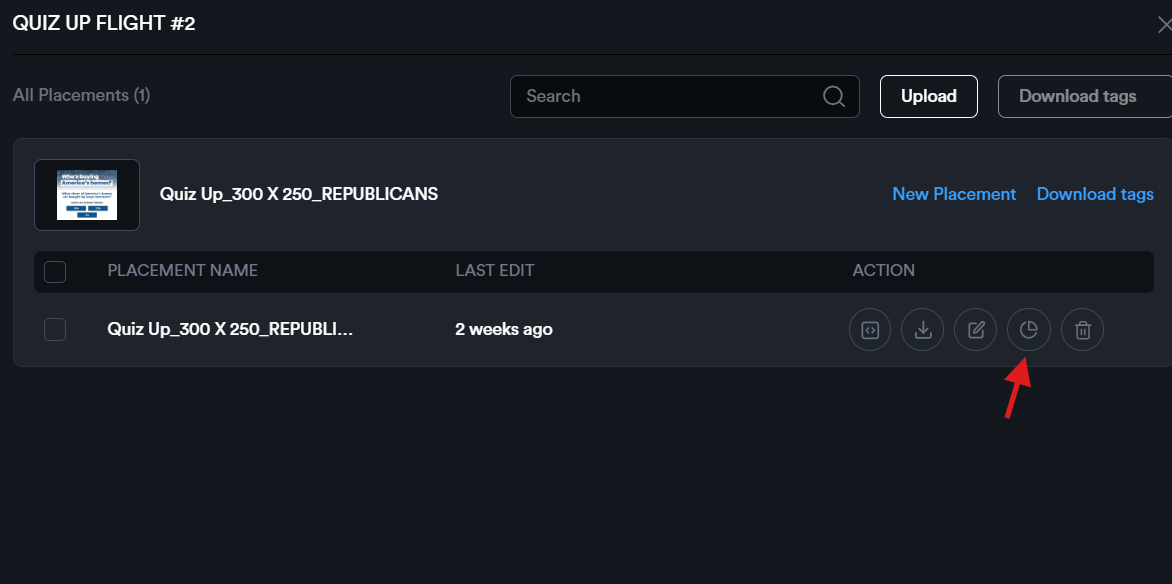
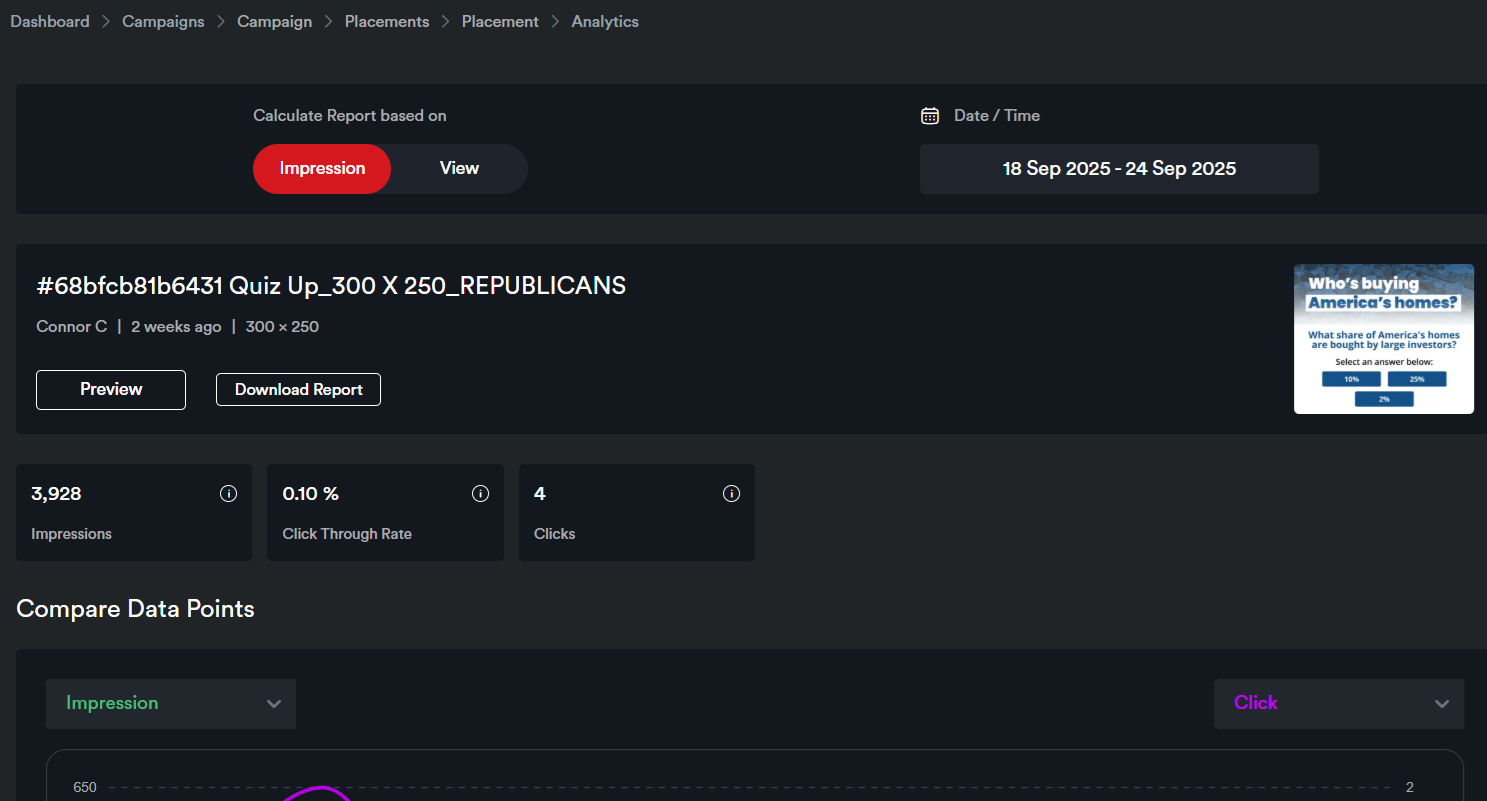
<span style="color: rgb(0, 0, 0); white-space: pre-wrap;">Go to the </span>****Placements**** <span style="color: rgb(0, 0, 0);">panel and click the Analytics icon for the placement. This will take you to the Placement Analytics page of that placement.</span>

![](https://docs.adctv.com/uploads/images/gallery/2025-11/embedded-image-xrx8r6dh.png)

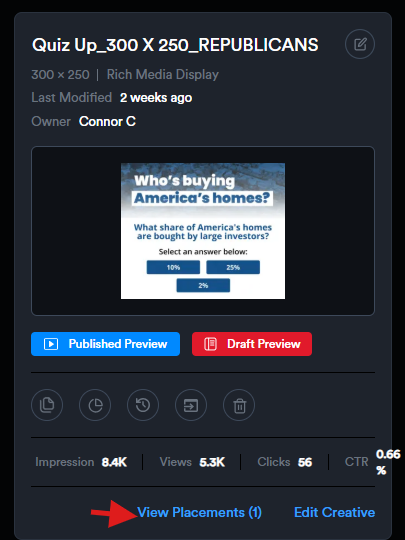
<span style="color: rgb(0, 0, 0); white-space: pre-wrap;"> Alternatively, you can click </span>****View Placements****<span style="color: rgb(0, 0, 0); white-space: pre-wrap;"> on the creative card to see all placements for that creative. From there, click the Analytics icon to view the analytics for a specific placement.</span>

![](https://docs.adctv.com/uploads/images/gallery/2025-11/embedded-image-lbxizwma.png)

![](https://docs.adctv.com/uploads/images/gallery/2025-11/embedded-image-h88jiqif.png)

![](https://docs.adctv.com/uploads/images/gallery/2025-11/embedded-image-kdazs4up.png)

# Analytics glossary

#### <u>****CAMPAIGN ANALYTICS****</u>

<u>****Campaign Summary****</u>

![](https://docs.adctv.com/uploads/images/gallery/2026-01/embedded-image-odcrqixj.png)

****Impression -**** <span style="color: rgb(0, 0, 0);">Number of times the Ad is loaded in an active tab</span>

****Views -**** <span style="color: rgb(0, 0, 0);">An Impression is considered Viewable when 50% of the ad is in the viewport of the device for 1 continuous second.</span>

****Click Through Rate -**** <span style="color: rgb(0, 0, 0);">Clicks/(Impressions - Invalid Impressions)\] \* 100</span>

****Clicks -**** <span style="color: rgb(0, 0, 0);">When a user clicks on an ad to be redirected to a Landing Page. These are unique per impression.</span>

****Creatives:****

![](https://docs.adctv.com/uploads/images/gallery/2026-01/embedded-image-6m7gzlxx.png)

****Compare Data Points:****

![](https://docs.adctv.com/uploads/images/gallery/2026-01/embedded-image-7wbvmh0a.png)

#### <u>****CREATIVE ANALYTICS****</u>

![](https://docs.adctv.com/uploads/images/gallery/2026-01/embedded-image-npj2opnt.png)

![](https://docs.adctv.com/uploads/images/gallery/2026-01/embedded-image-n1s280ng.png)

![](https://docs.adctv.com/uploads/images/gallery/2026-01/embedded-image-06oiijkm.png)

****Impression –****<span style="color: rgb(0, 0, 0); white-space: pre-wrap;"> No. of times the Ad is loaded in an active tab.</span>

****View –****<span style="color: rgb(0, 0, 0); white-space: pre-wrap;"> No. of times the Ad has been viewed by the users. An Impression is considered Viewable when 50% of the ad is in the viewport of the device for 1 continuous second.</span>

****Engagement -****<span style="color: rgb(0, 0, 0); white-space: pre-wrap;"> Triggers for the first interaction per Impression.</span>

****Time Spent -****<span style="color: rgb(0, 0, 0); white-space: pre-wrap;"> Total time spent (in seconds) on the ad starts when a user interacts with the ad till the user interacts outside the ad / when the ad goes out of view. </span>

****Exposure -****<span style="color: rgb(0, 0, 0); white-space: pre-wrap;"> The total duration (in milliseconds) for which an ad is viewable in the user's viewport.</span>

****Adctv ad initialized -****<span style="color: rgb(0, 0, 0); white-space: pre-wrap;"> No. of times the Ad with interactive elements has been loaded. This event indicates that the necessary resources for the ad, such as images, videos, or interactive elements, have been fetched and initialized, and the ad is ready to be shown to the user.</span>

****Video Start –****<span style="color: rgb(0, 0, 0); white-space: pre-wrap;"> No. of times the video playback has been initiated.</span>

****First Quartile–****<span style="color: rgb(0, 0, 0); white-space: pre-wrap;"> No of times that 25% of the video has been viewed.</span>

****Mid Point –****<span style="color: rgb(0, 0, 0); white-space: pre-wrap;"> No of times that 50% of the video has been viewed.</span>

****Third Quartile –****<span style="color: rgb(0, 0, 0); white-space: pre-wrap;"> No of times that 75% of the video has been viewed.</span>

****Complete –****<span style="color: rgb(0, 0, 0); white-space: pre-wrap;"> No. of times the video has been completely viewed.</span>

****Pause –****<span style="color: rgb(0, 0, 0); white-space: pre-wrap;"> No. of times the video has been paused.</span>

****Resume –****<span style="color: rgb(0, 0, 0); white-space: pre-wrap;"> No. of times the video has been resumed.</span>

****Mute –****<span style="color: rgb(0, 0, 0); white-space: pre-wrap;"> No. of times the video has been muted.</span>

****Unmute–****<span style="color: rgb(0, 0, 0); white-space: pre-wrap;"> No. of times the video has been unmuted.</span>

****Clicks –****<span style="color: rgb(0, 0, 0); white-space: pre-wrap;"> No. of times the user clicked on the Ad and it was redirected to a landing page.</span>

****QR Scan –****<span style="color: rgb(0, 0, 0); white-space: pre-wrap;"> No. of QR code scans</span>