# Campaign Structure
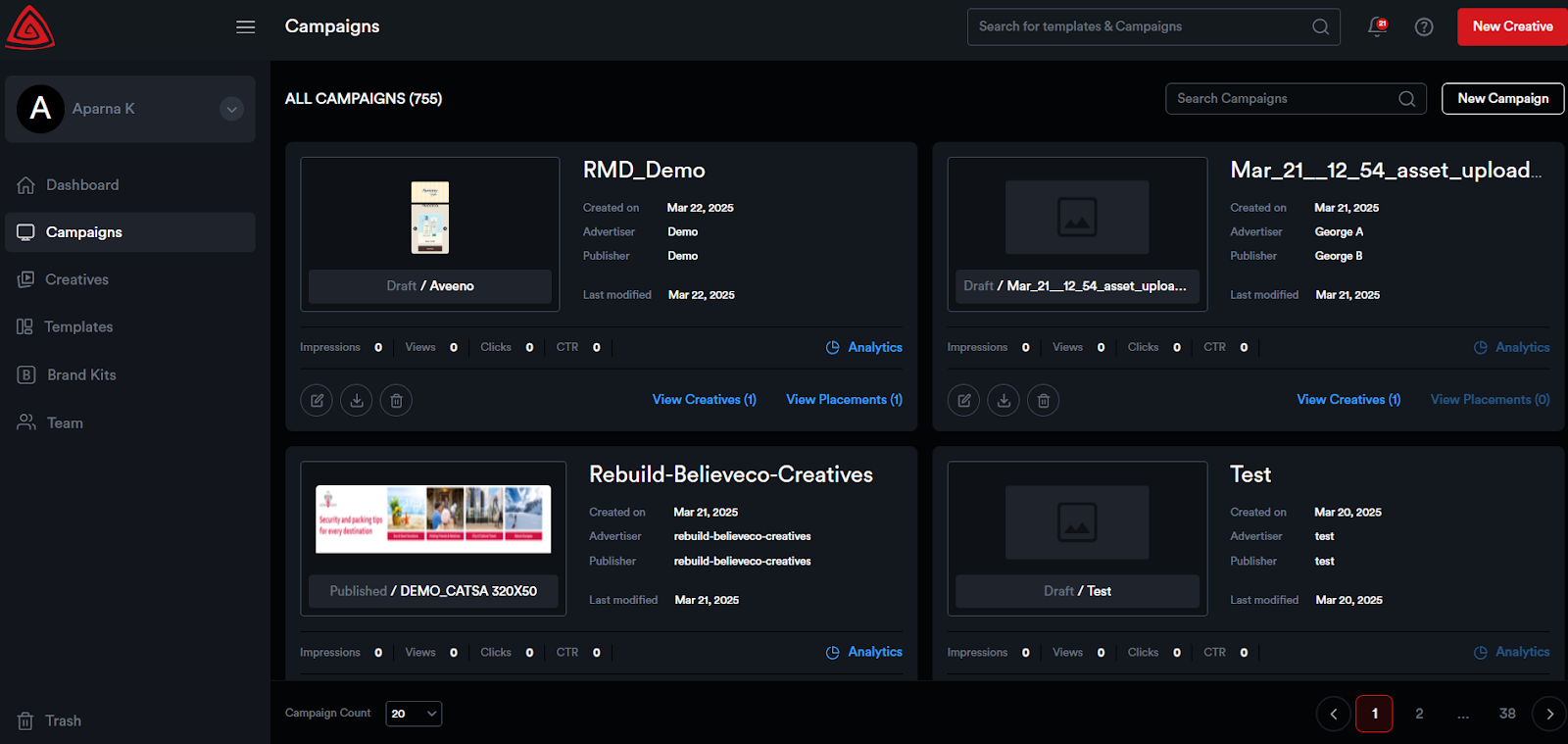
To get started, click on the ****Campaigns**** module in the navigation bar on the left side. This will take you to the ****All Campaigns**** page, where all your campaigns are displayed as visually appealing cards.
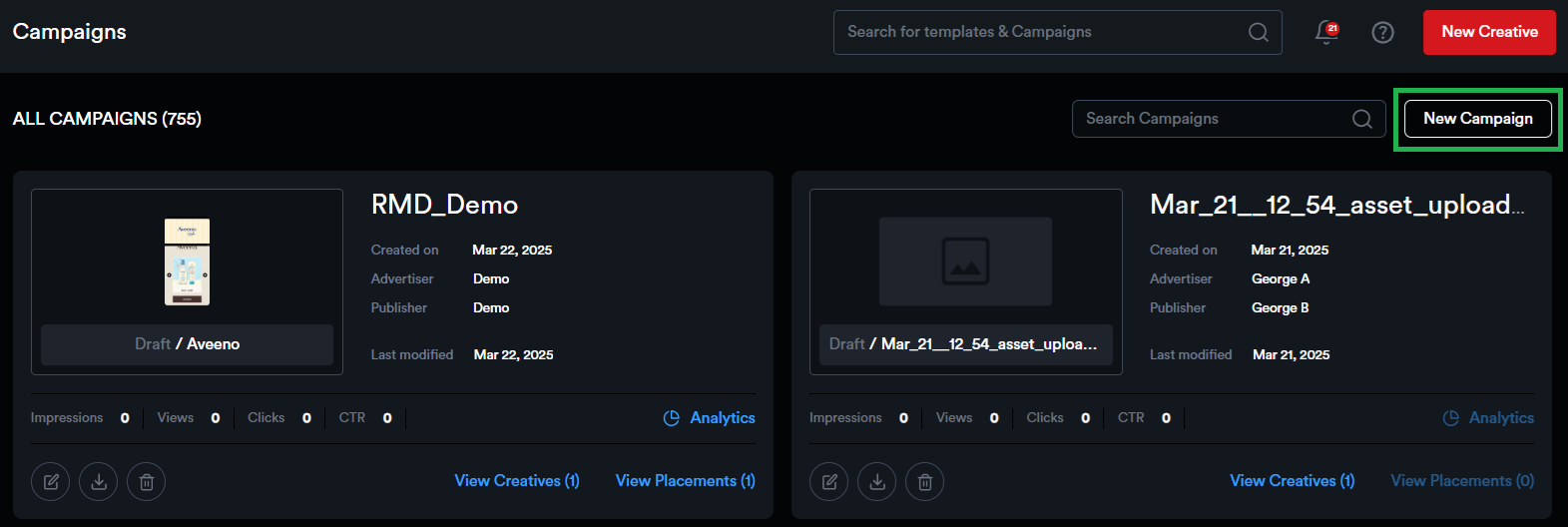
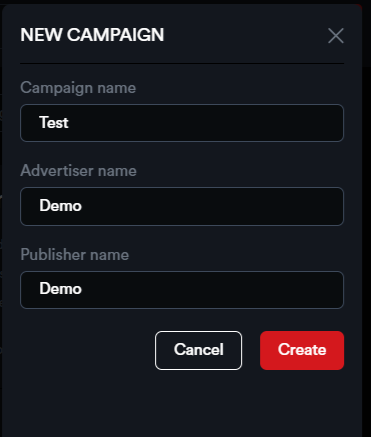
To create a new campaign, click on the ****New Campaign**** button. Enter the campaign name, advertiser name, and publisher name. Then, click Create to set up your campaign.
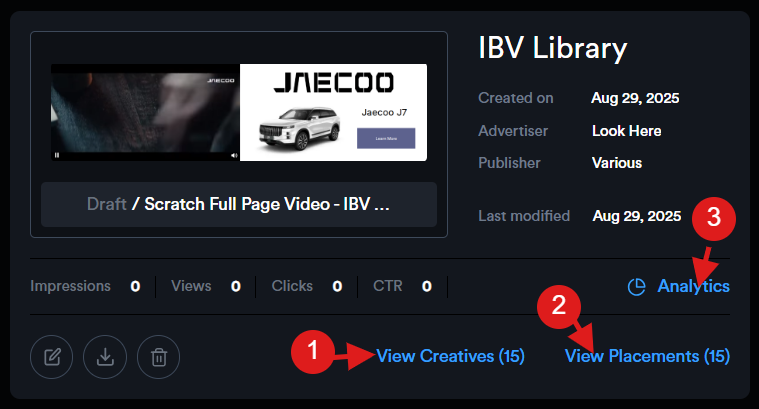
Each campaign card will display key information, including the campaign's creation date, advertiser name, publisher name, last modified date, and important metrics like lifetime impressions, views, clicks, and CTR.
Additionally, the campaign cards include buttons that take you directly to the Creatives listing page, Placements listing page, and Campaign Analytics page.
[](https://docs.adctv.com/uploads/images/gallery/2025-08/campaign-card.png)
You can also edit, delete, or download the tags associated with a campaign.
****Campaign Preview:**** By clicking on a campaign thumbnail, you'll be directed to a preview page where all the campaign creatives are listed, allowing users to quickly scroll through and view them.
[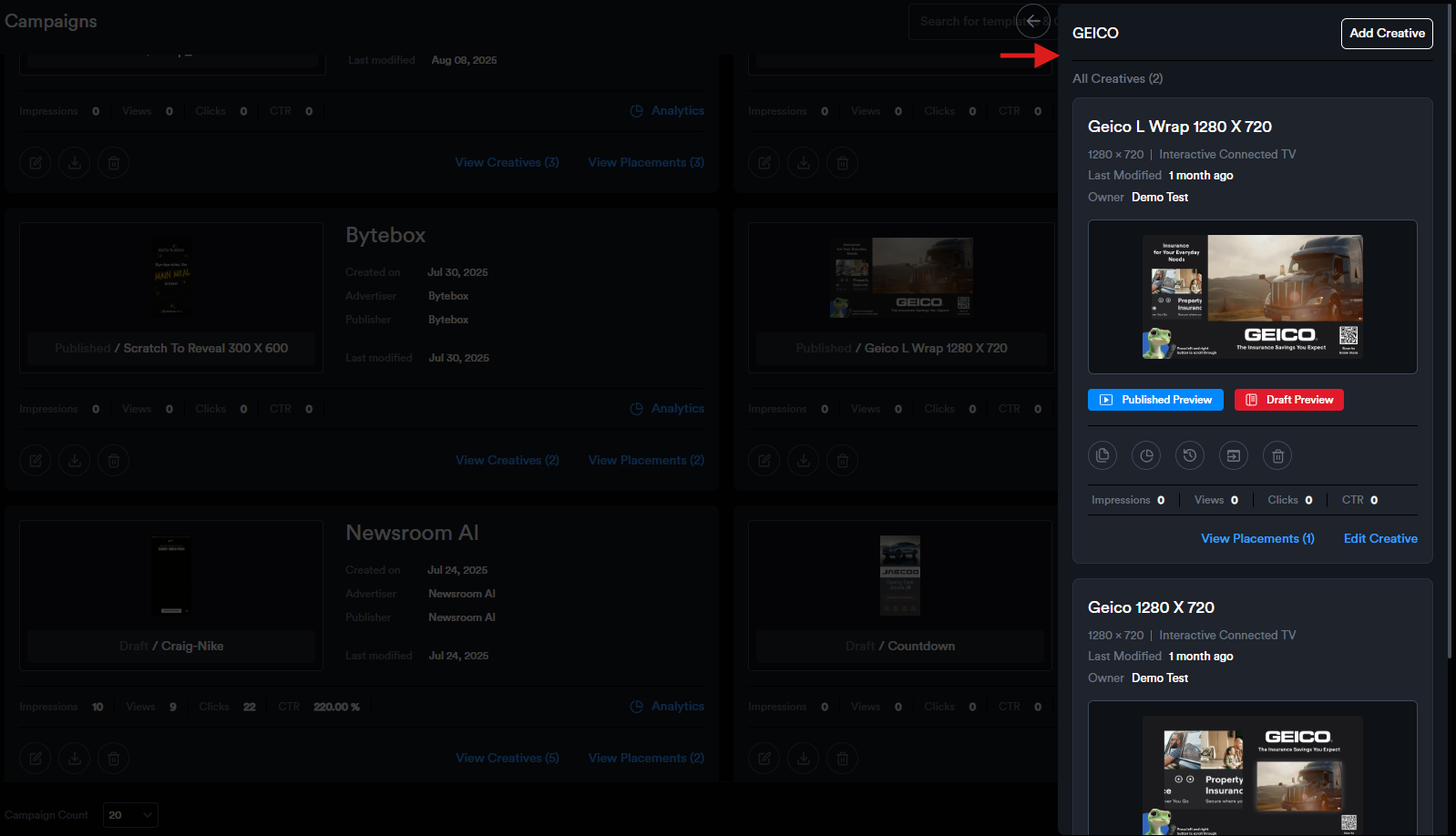](https://docs.adctv.com/uploads/images/gallery/2025-08/campaign-preview1.png)