# Placement Analytics

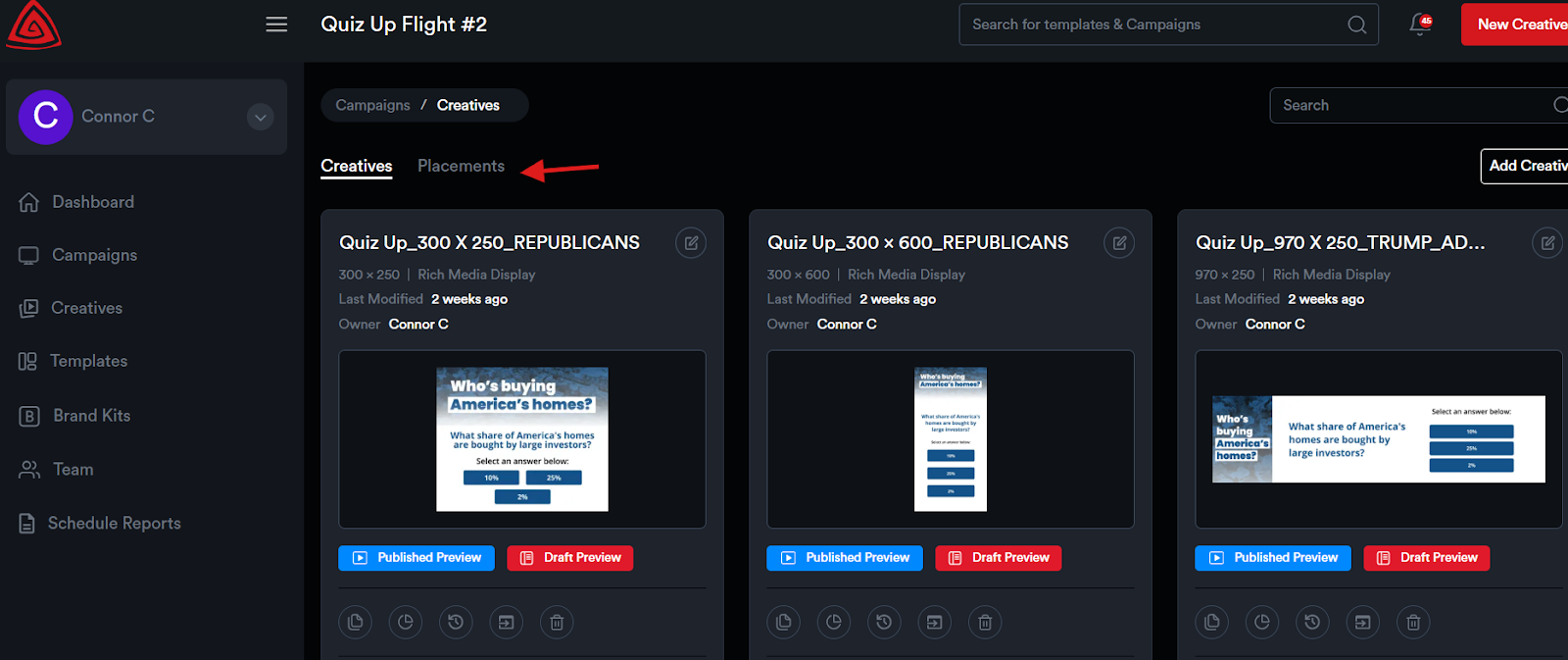
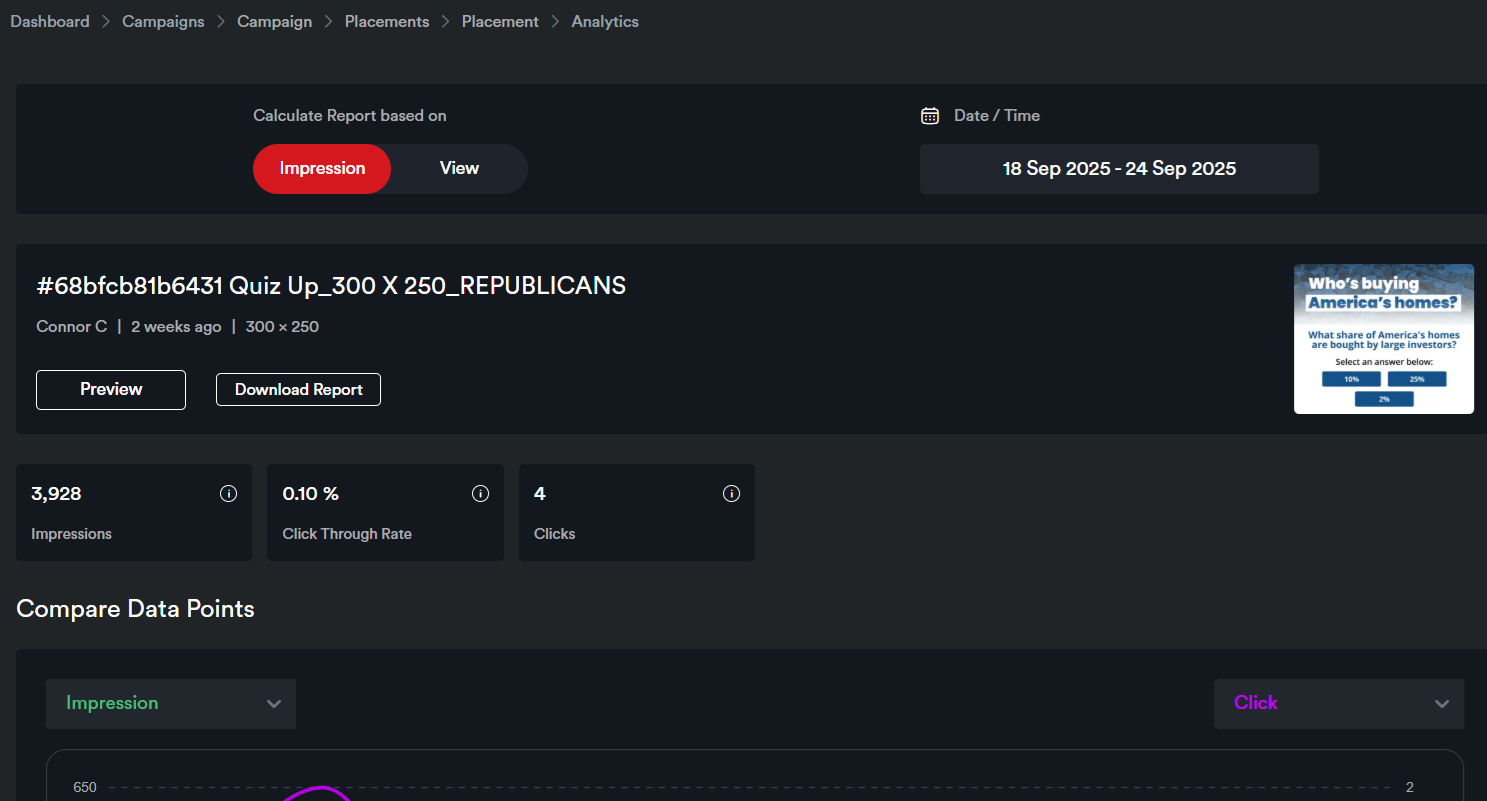
<span style="color: rgb(0, 0, 0); white-space: pre-wrap;">To view analytics at the </span>****Placement**** <span style="color: rgb(0, 0, 0);">level:</span>

<span style="color: rgb(0, 0, 0); white-space: pre-wrap;">Go to the </span>****Placements**** <span style="color: rgb(0, 0, 0);">panel and click the Analytics icon for the placement. This will take you to the Placement Analytics page of that placement.</span>

![](https://docs.adctv.com/uploads/images/gallery/2025-11/embedded-image-xrx8r6dh.png)

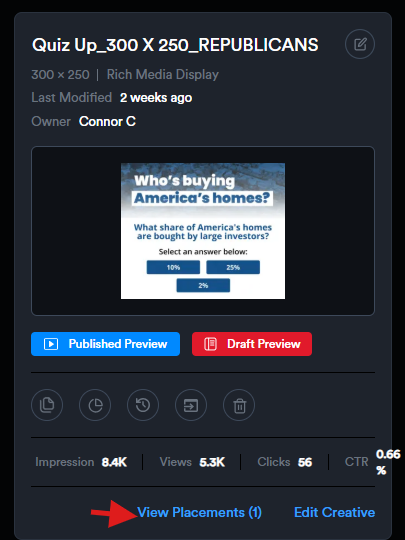
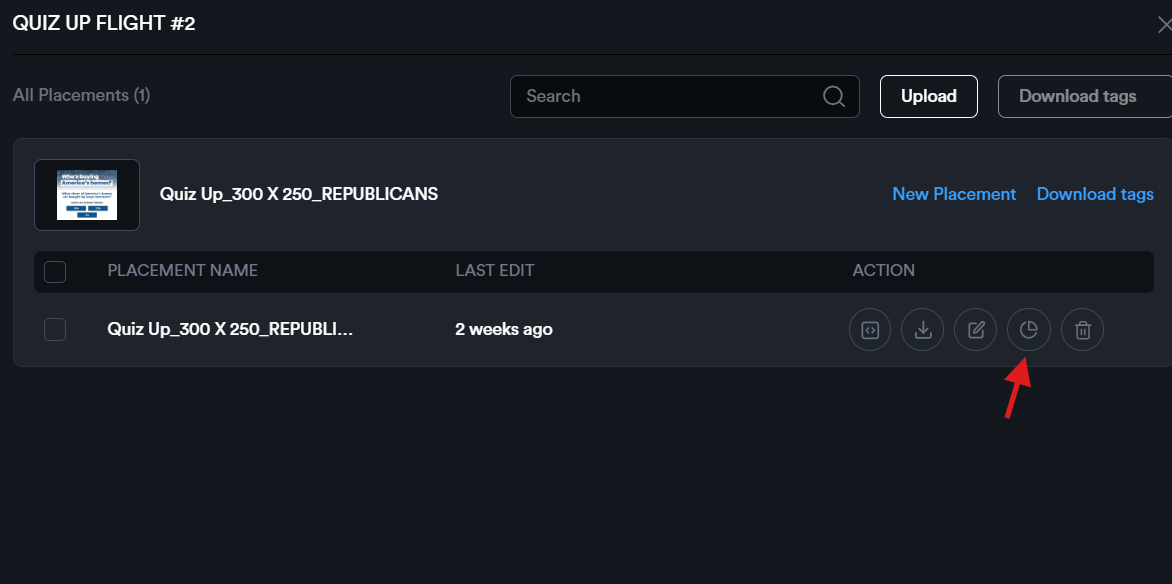
<span style="color: rgb(0, 0, 0); white-space: pre-wrap;"> Alternatively, you can click </span>****View Placements****<span style="color: rgb(0, 0, 0); white-space: pre-wrap;"> on the creative card to see all placements for that creative. From there, click the Analytics icon to view the analytics for a specific placement.</span>

![](https://docs.adctv.com/uploads/images/gallery/2025-11/embedded-image-lbxizwma.png)

![](https://docs.adctv.com/uploads/images/gallery/2025-11/embedded-image-h88jiqif.png)

![](https://docs.adctv.com/uploads/images/gallery/2025-11/embedded-image-kdazs4up.png)