
Analytics glossary
CAMPAIGN ANALYTICS
Campaign Summary
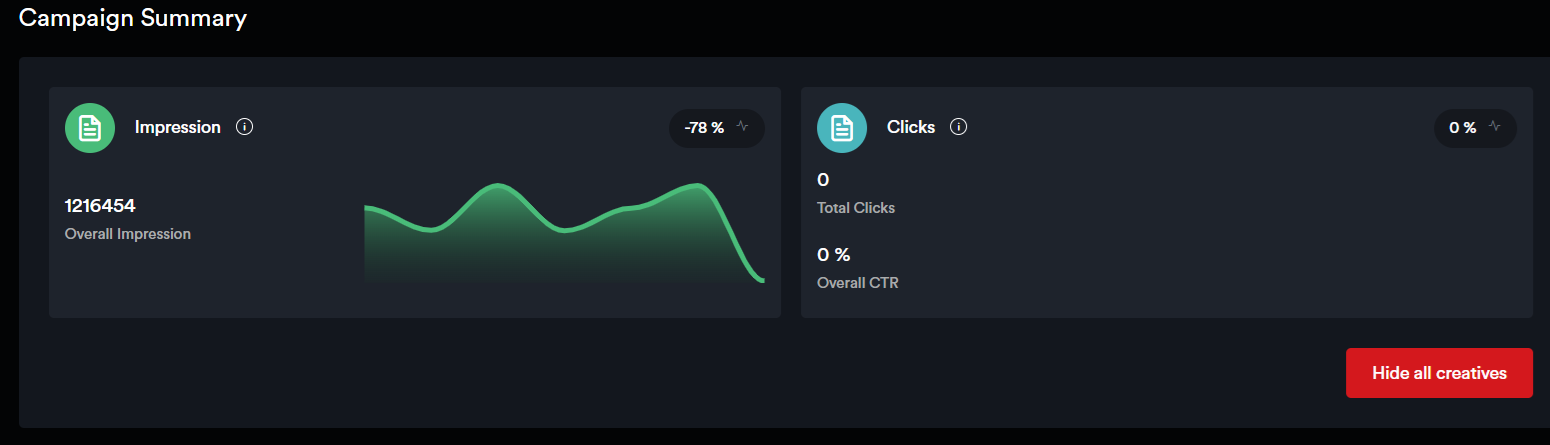
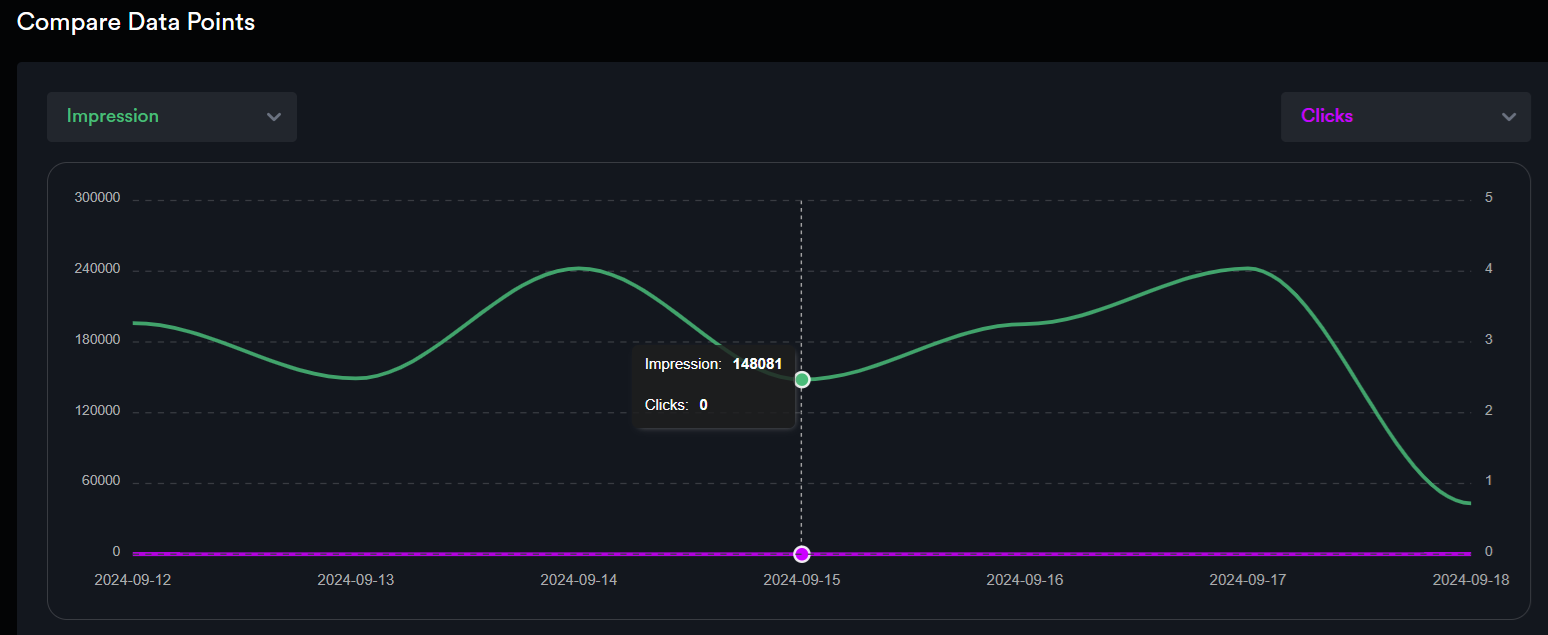
Impression - Number of times the Ad is loaded in an active tab
Views - An Impression is considered Viewable when 50% of the ad is in the viewport of the device for 1 continuous second.
Click Through Rate - Clicks/(Impressions - Invalid Impressions)] * 100
Clicks - When a user clicks on an ad to be redirected to a Landing Page. These are unique per impression.
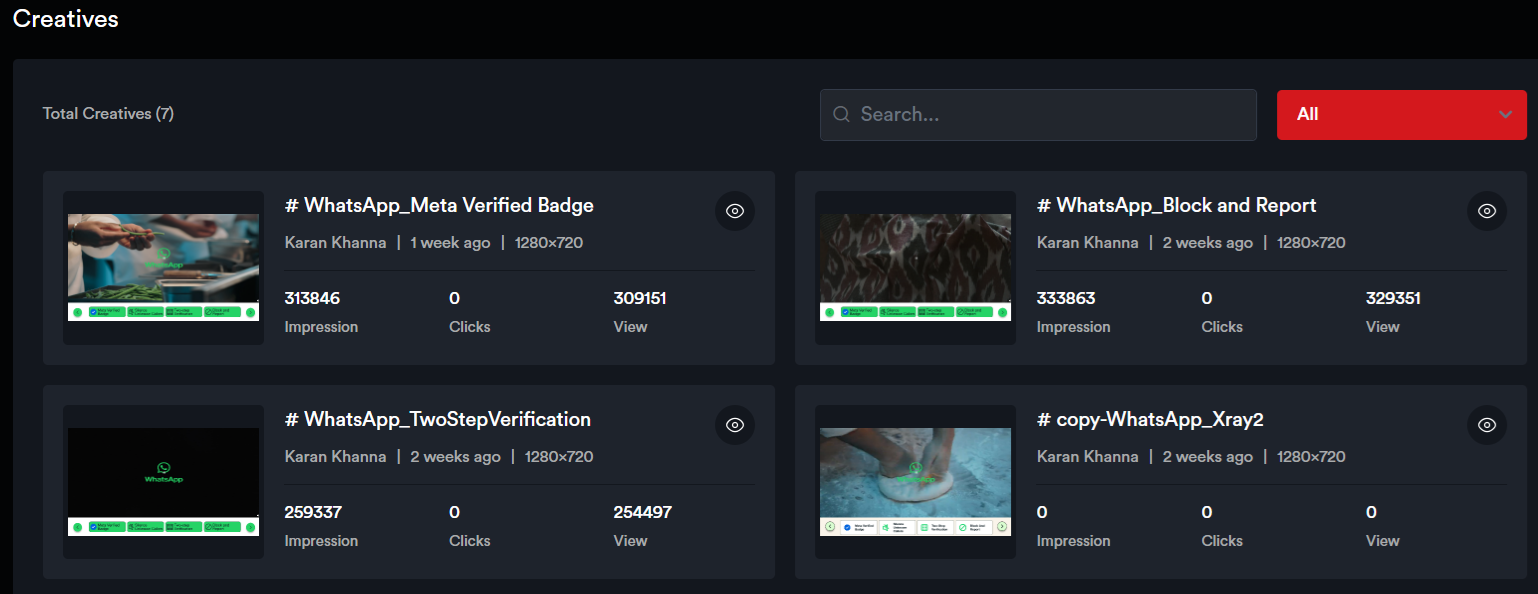
Creatives:
Compare Data Points:
CREATIVE ANALYTICS
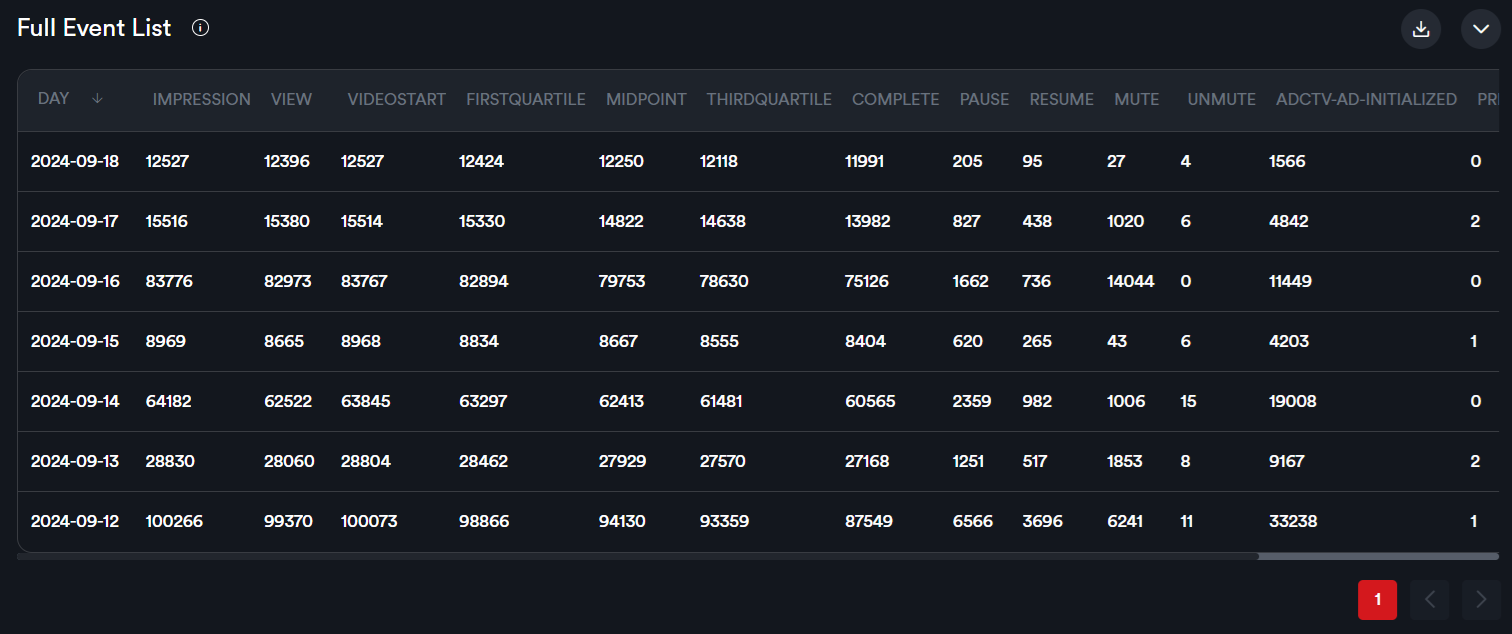
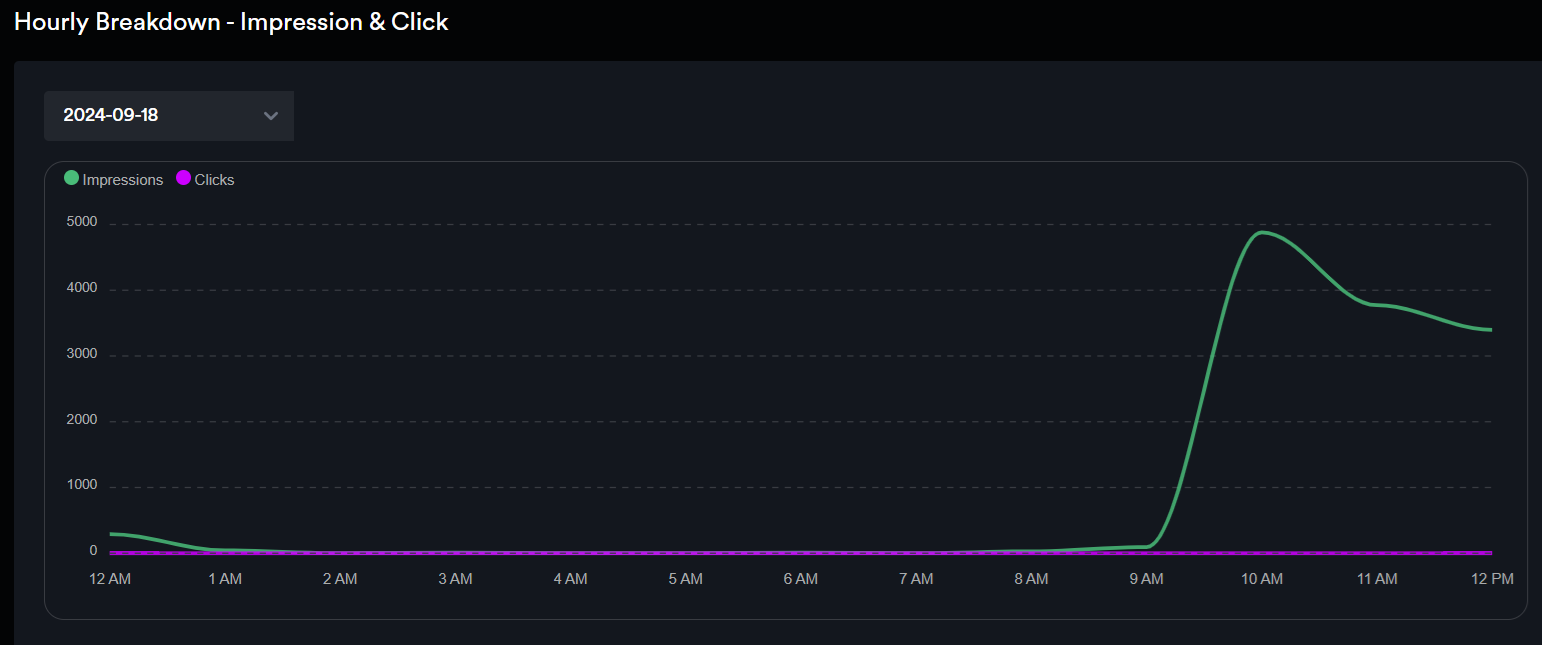
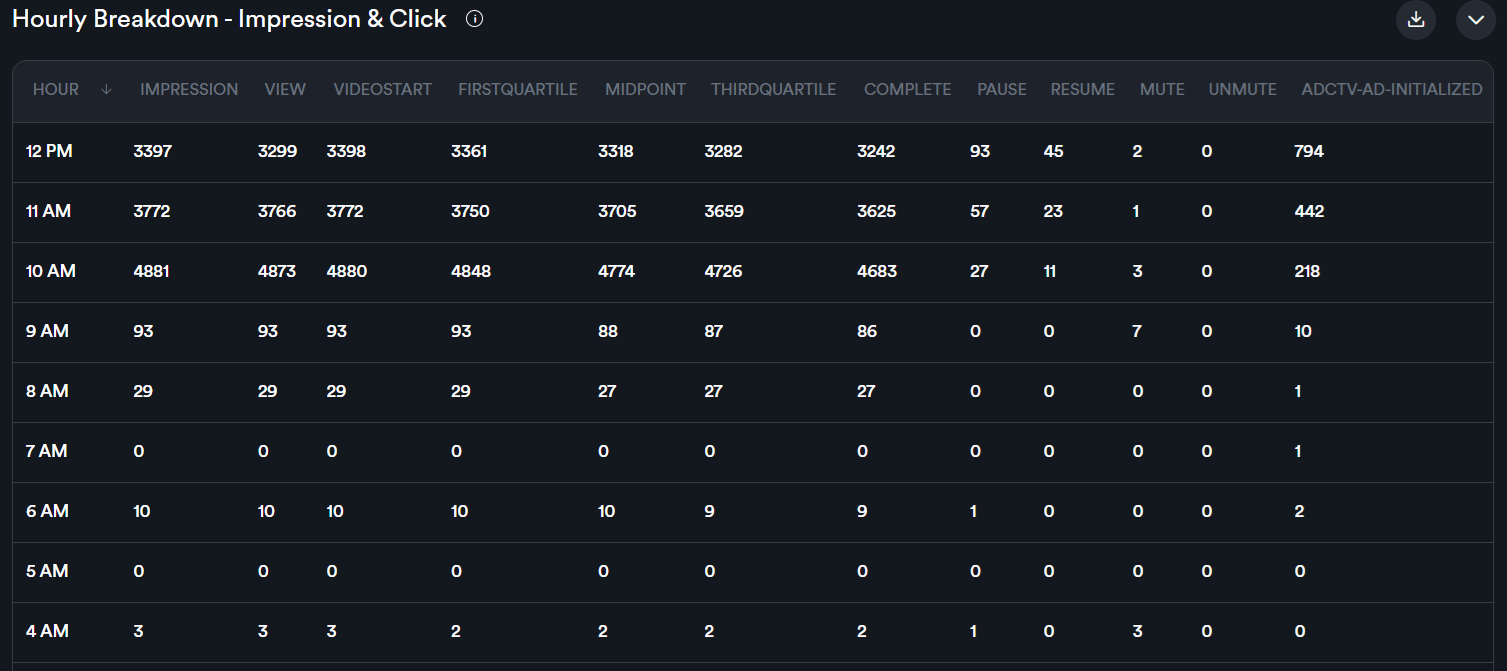
Impression – No. of times the Ad is loaded in an active tab.
View – No. of times the Ad has been viewed by the users. An Impression is considered Viewable when 50% of the ad is in the viewport of the device for 1 continuous second.
Engagement - Triggers for the first interaction per Impression.
Adctv ad initialized - No. of times the Ad with interactive elements has been loaded. This event indicates that the necessary resources for the ad, such as images, videos, or interactive elements, have been fetched and initialized, and the ad is ready to be shown to the user.
Video Start – No. of times the video playback has been initiated.
First Quartile– No of times that 25% of the video has been viewed.
Mid Point – No of times that 50% of the video has been viewed.
Third Quartile – No of times that 75% of the video has been viewed.
Complete – No. of times the video has been completely viewed.
Pause – No. of times the video has been paused.
Resume – No. of times the video has been resumed.
Mute – No. of times the video has been muted.
Unmute– No. of times the video has been unmuted.
Clicks – No. of times the user clicked on the Ad and it was redirected to a landing page.
QR Scan – No. of QR code scans