Timeline
Timeline
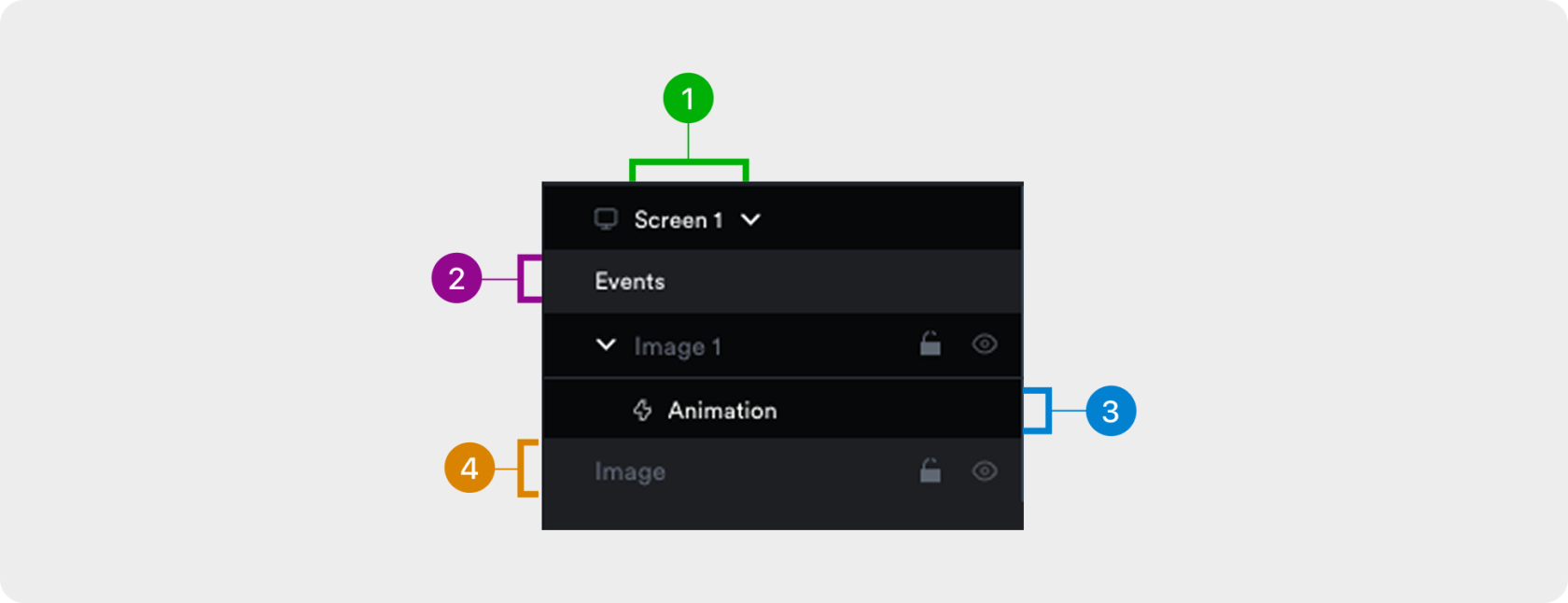
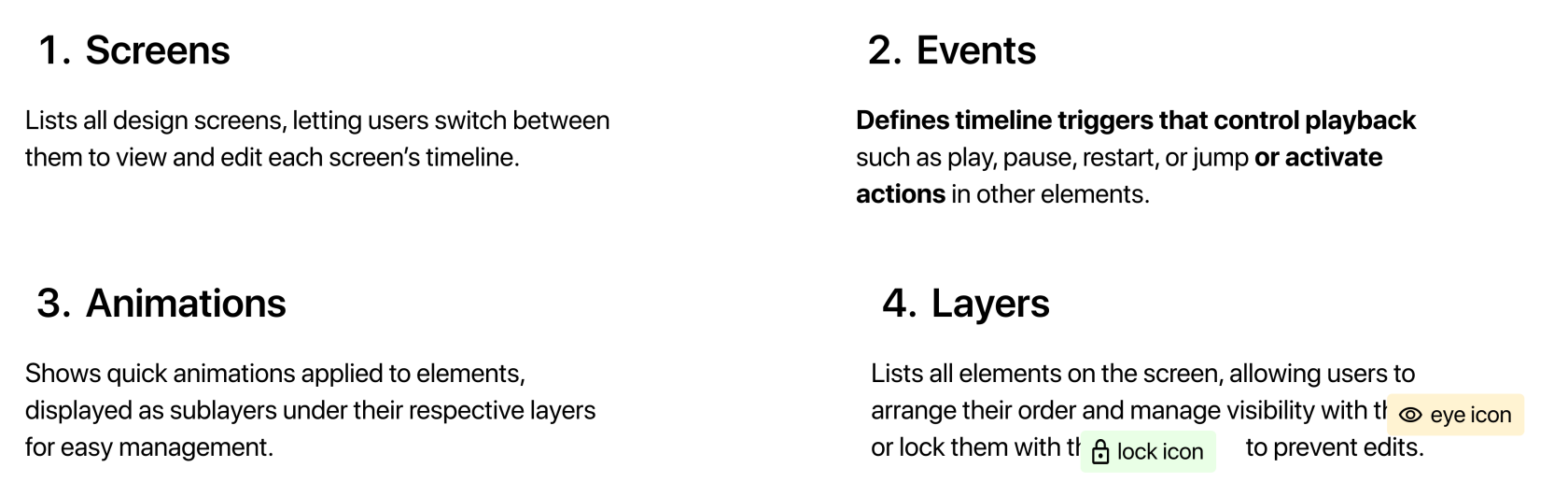
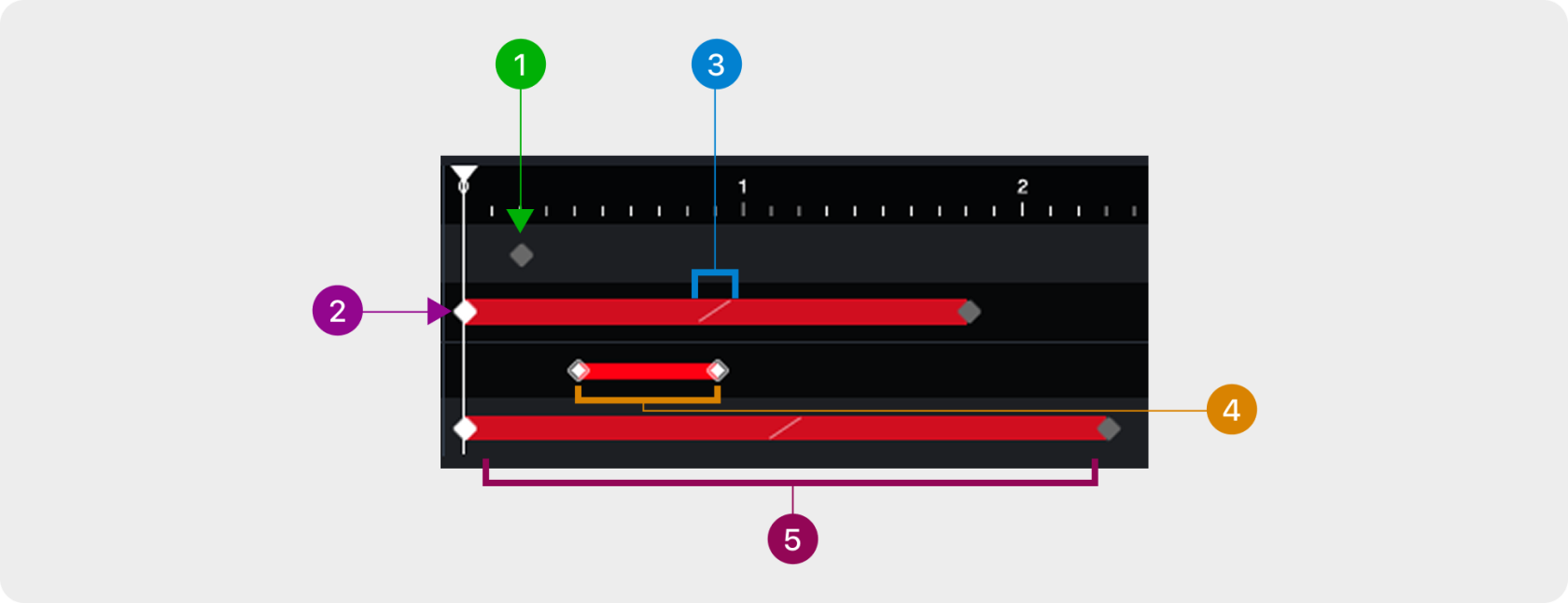
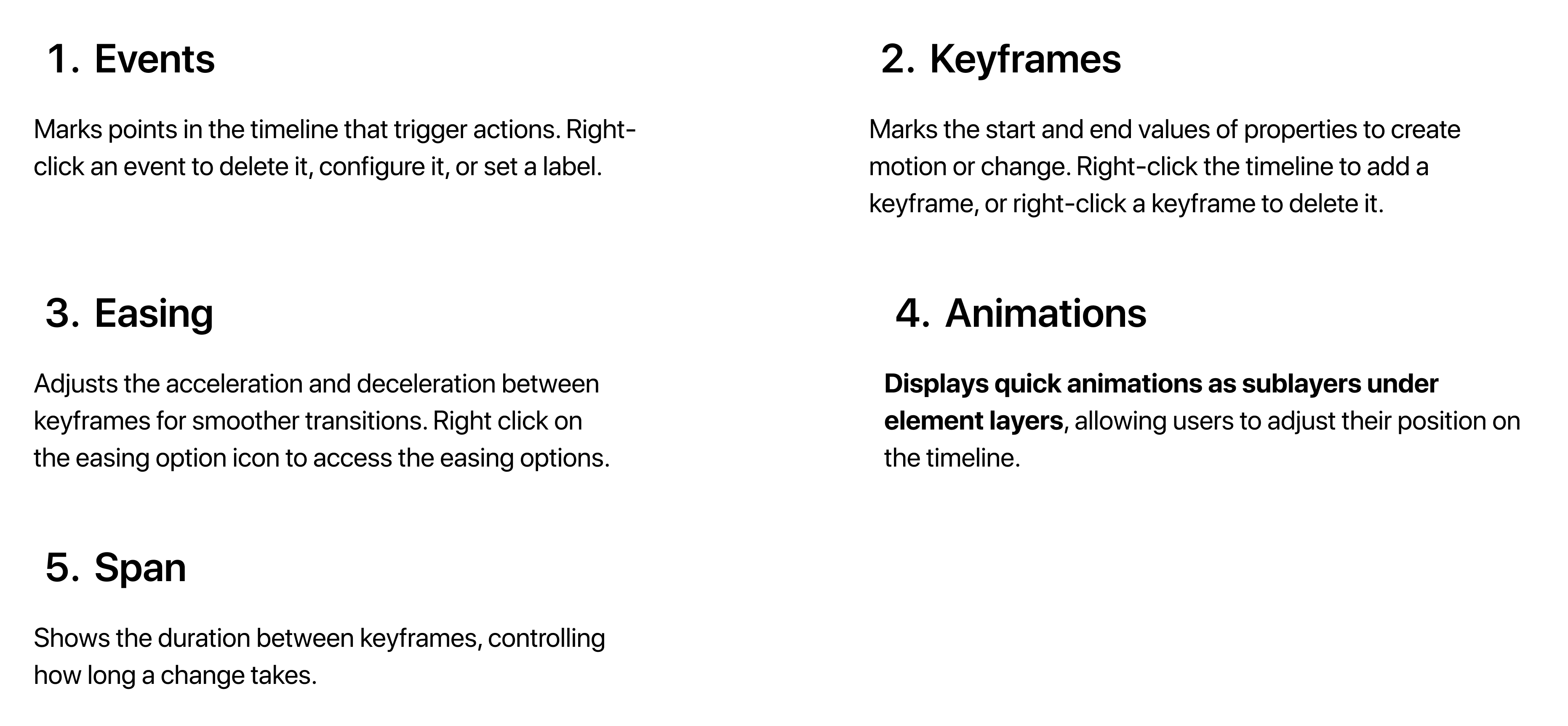
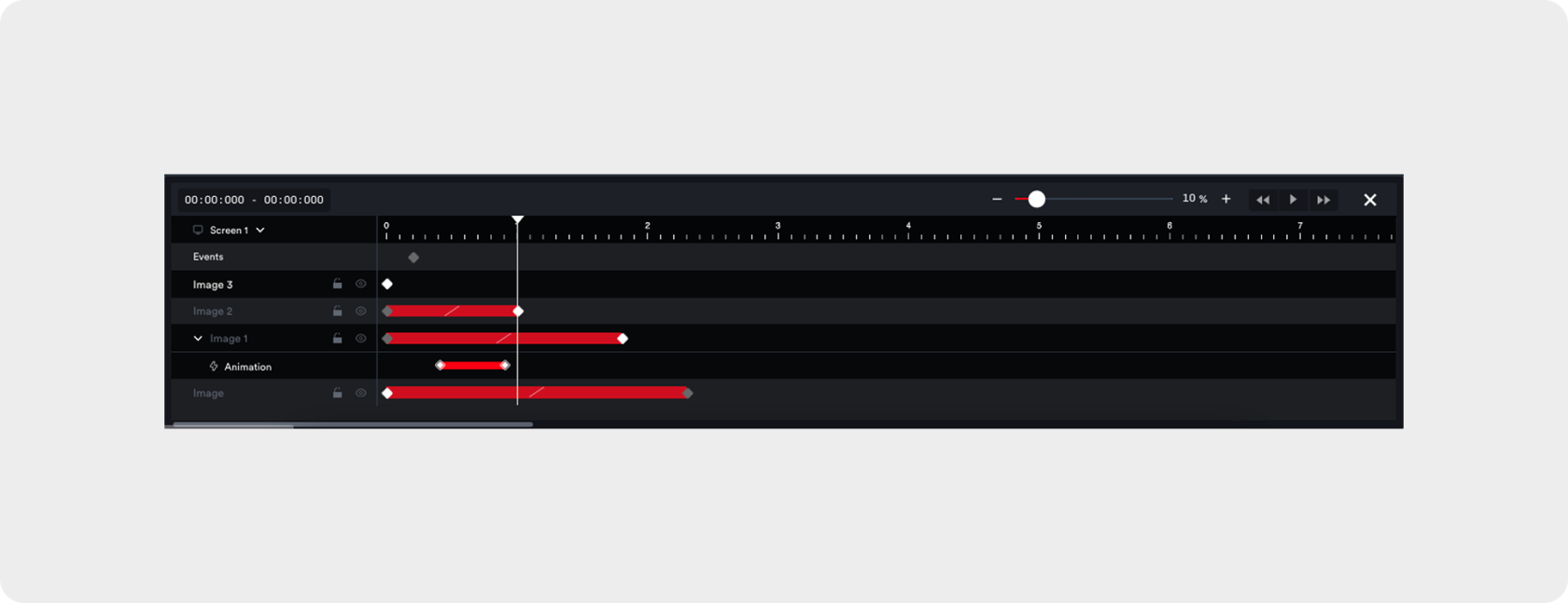
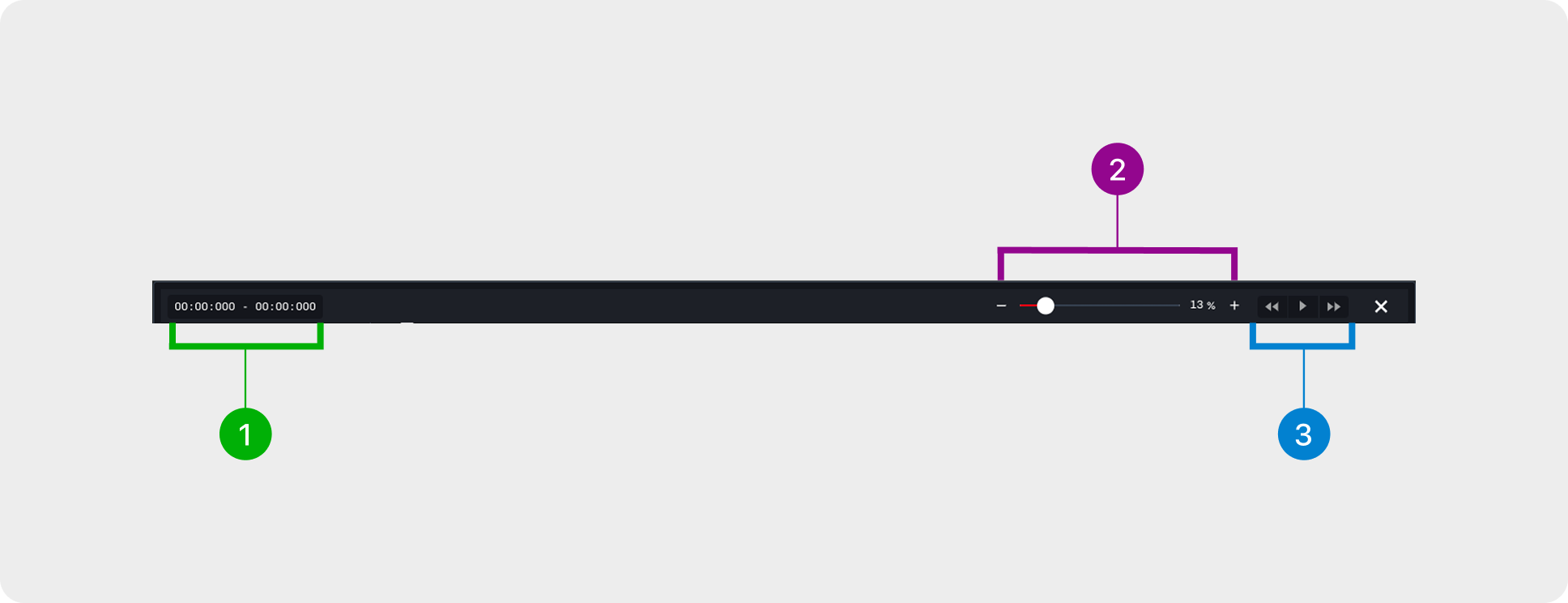
The timeline provides a visual interface for organising and controlling how elements appear, move, and interact in an animation. It has three main sections: the Header, which includes tools like the timer, zoom, and playback toggles; the Timeline Elements panel on the left, for managing screens, events, layers, and quick animations; and the Timeline Panel on the right, offering detailed controls for keyframes, spans, easing, and events.
Together, these sections let users sequence, edit, and fine-tune animations efficiently and intuitively, making complex interactions easier to create and manage.
Header
The header 
1. Timer
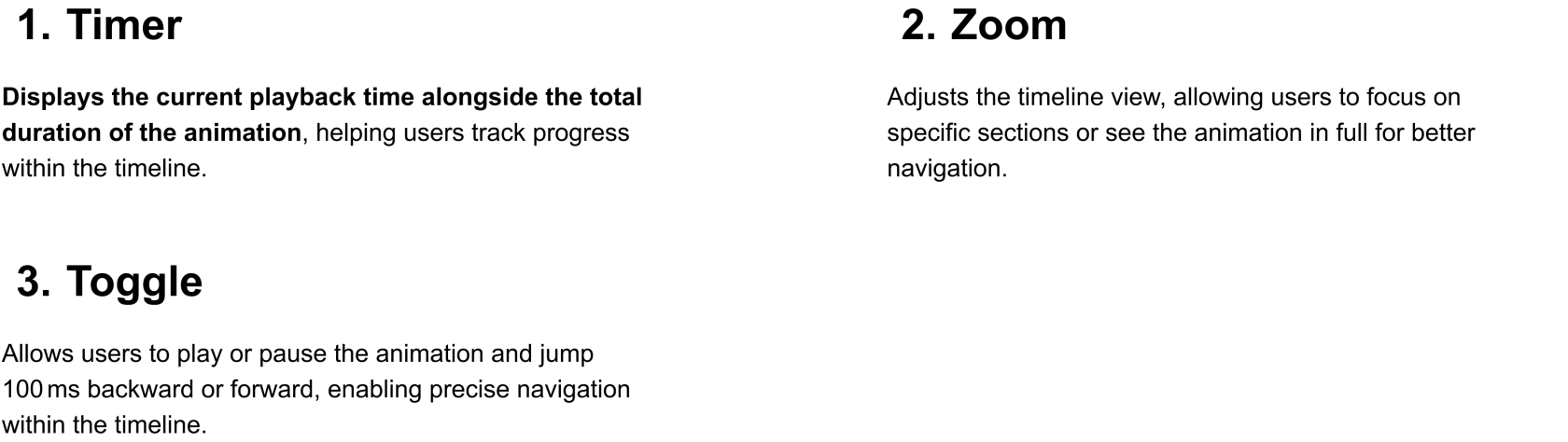
Displays the current playback time alongside the total
duration of the animation, helping users track progress
within the timeline.