Placement Analytics
To view analytics at the Placement level:
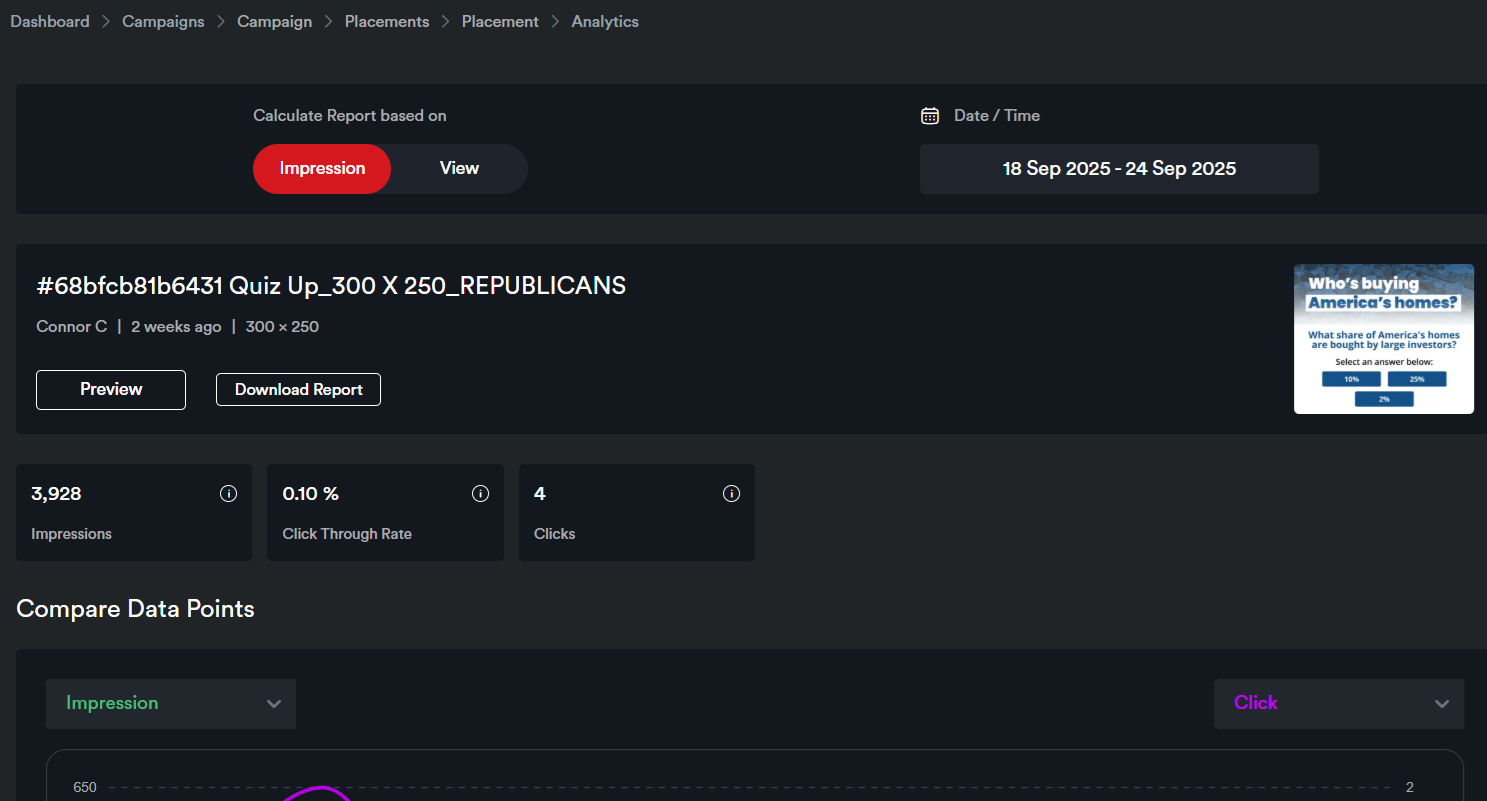
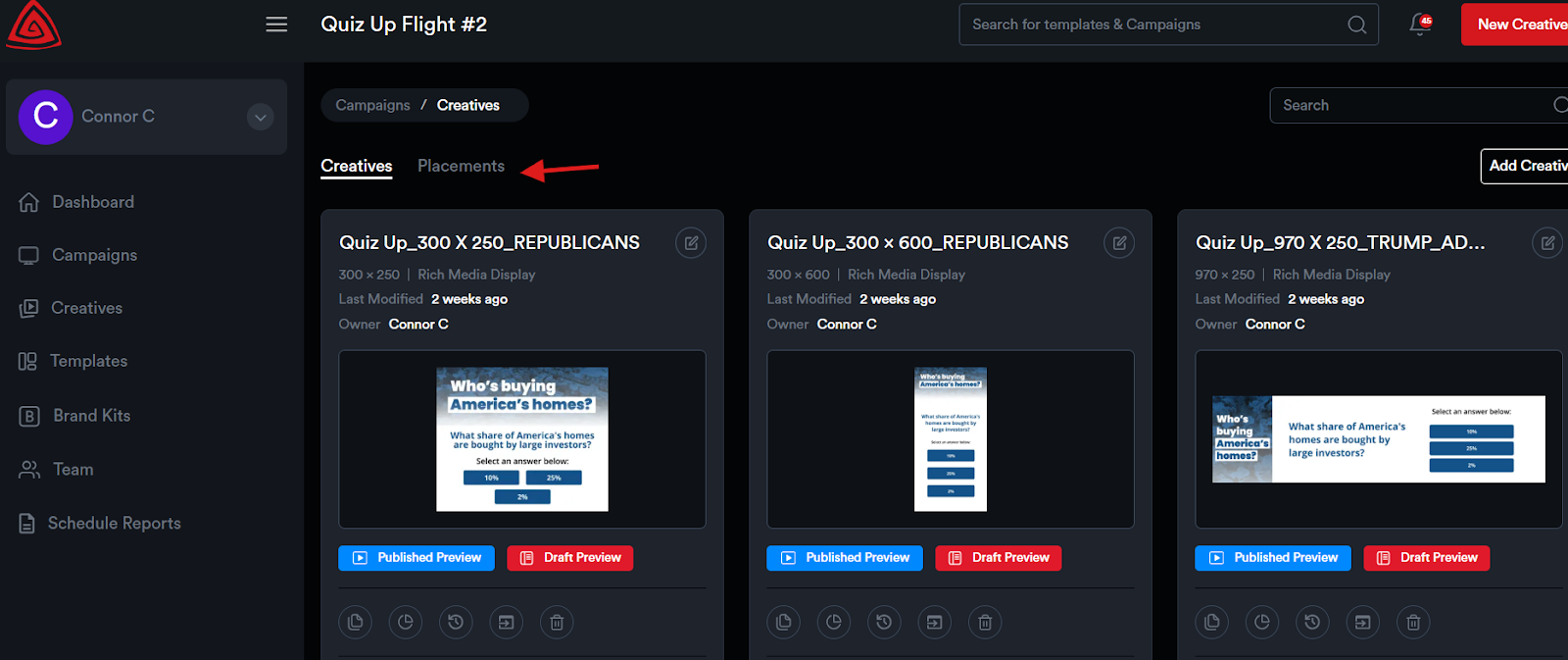
Go to the Placements panel and click the Analytics icon for the placement. This will take you to the Placement Analytics page of that placement.
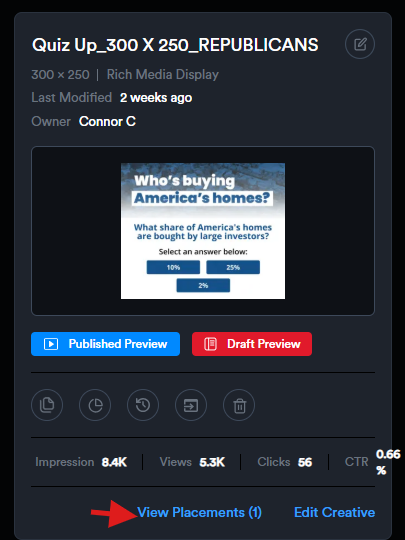
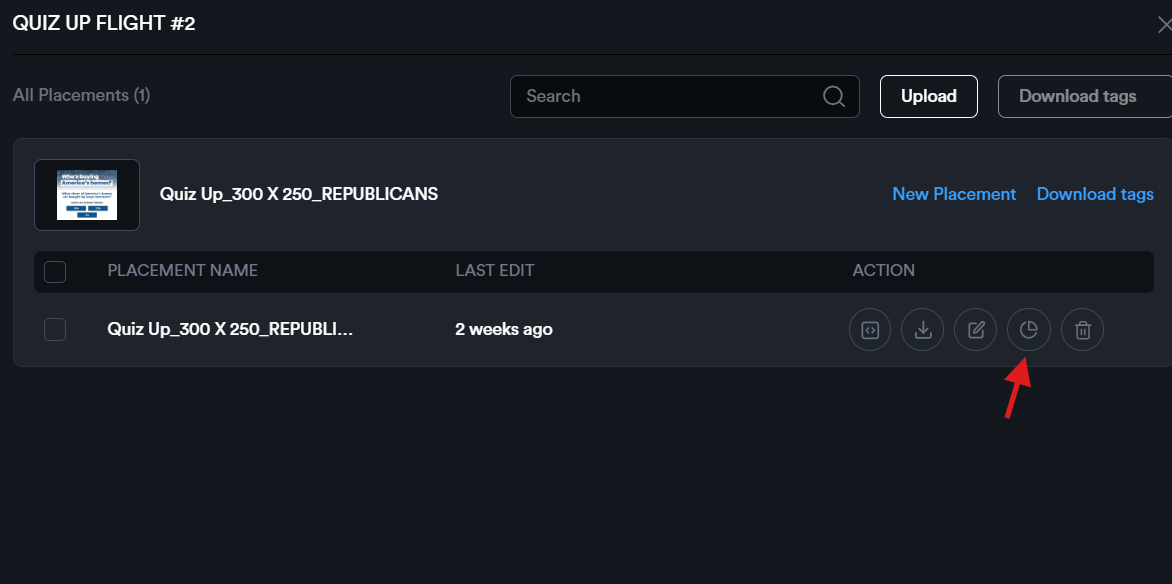
Alternatively, you can click View Placements on the creative card to see all placements for that creative. From there, click the Analytics icon to view the analytics for a specific placement.