
Project Set Up
Building a new creative
To set up a new creative, click the 'New Creative' button, which is available globally on the Adctv platform.
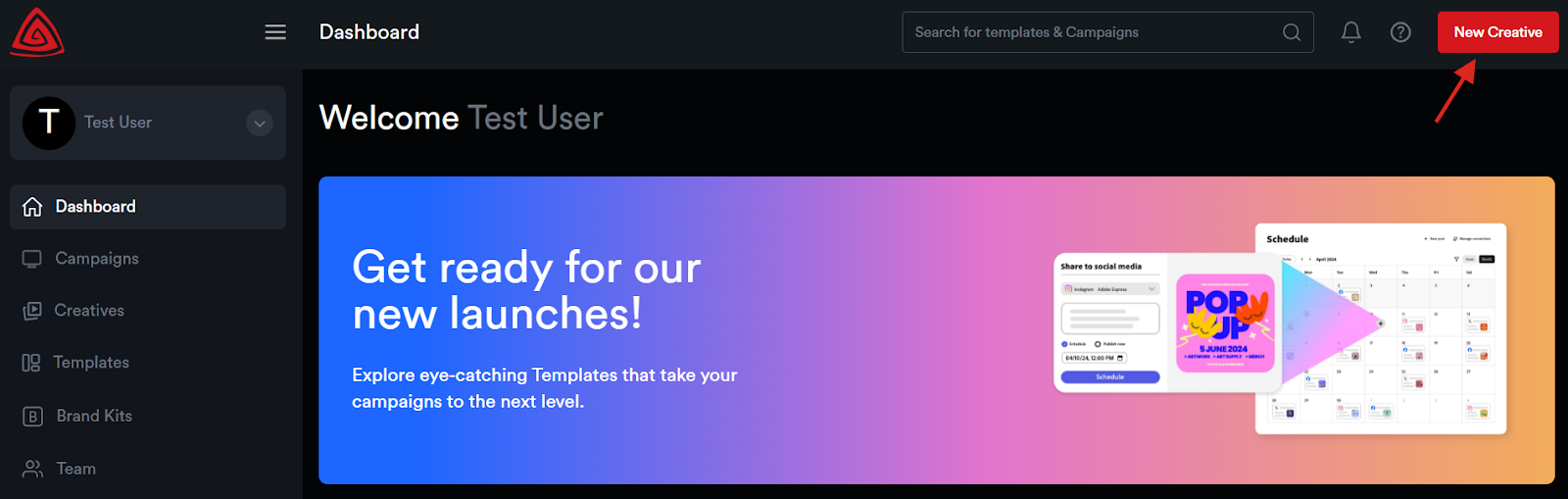
This will open the 'New Creative' pop-up window.
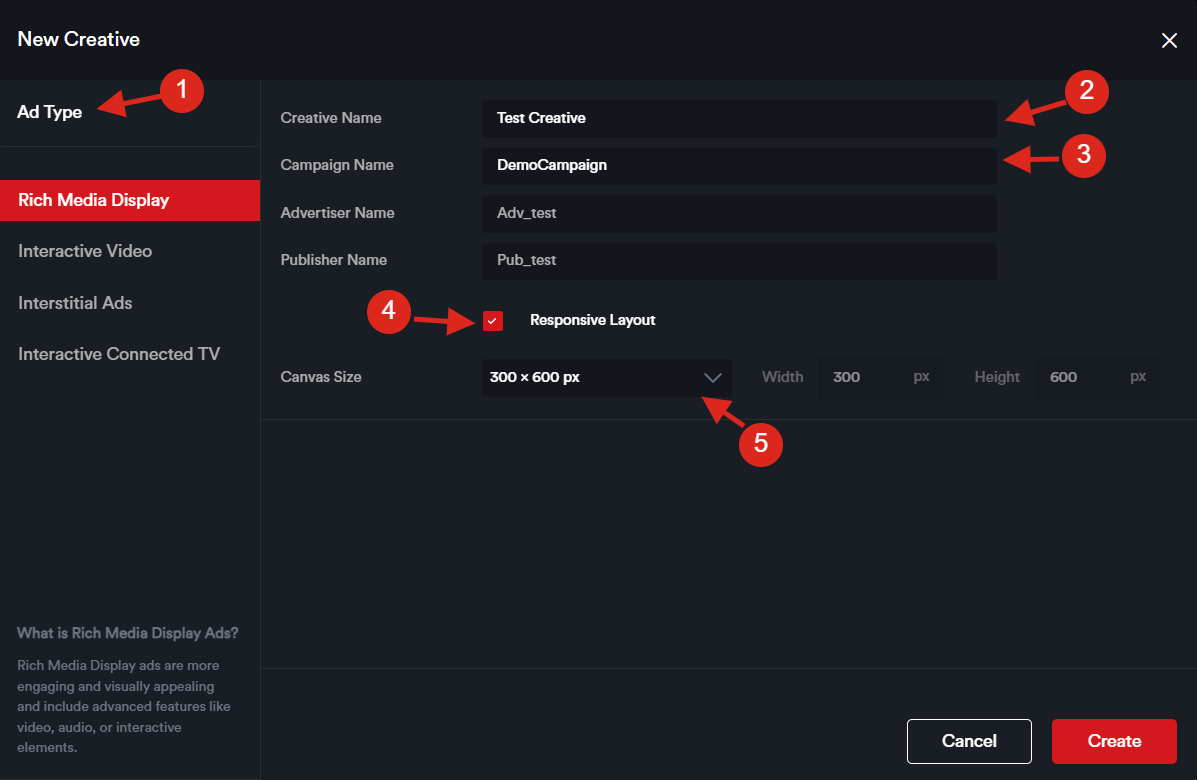
1. You will see a list of available Ad Types—select the one that best suits your campaign.
The available options include Rich Media Display, Interactive Video, Interstitial Ads, and Interactive Connected TV (CTV).
Rich Media Display
Rich media display ads are visually engaging and include advanced elements like video, audio, and interactive features to capture user interest more effectively.
Interactive Video
Interactive video ads provide a dynamic platform for storytelling, allowing brands to convey their message thereby offering an effective way to capture audience attention, drive engagement, and achieve marketing objectives. Interstitial Ad
An interstitial ad is a type of full-screen ad that covers the interface of its host app or website.
Interactive CTV Ads
Interactive Connected TV ads are tailored for streaming platforms accessed via smart TVs, gaming consoles, and streaming devices (like Amazon Fire TV or Apple TV). These ads often incorporate interactive components to enhance viewer engagement.
2. Enter the Creative Name
3. Enter the Campaign Name, Advertiser Name, and Publisher Name. - If the campaign name you enter already exists, the advertiser and publisher fields will auto-populate.
4. Enable Responsive Layout (optional) – Check this box if you want the creative to be built with a responsive layout that adapts to various screen sizes.
5. Choose Canvas Size: Select from predefined ad dimensions or input custom dimensions as required.
Once all necessary details are filled out, click the "Create" button. You will then be redirected to the Drag and Drop Ad Builder, where you can begin building your ad.
👉 Want to customize your projects? Know about the Adctv Creative Builder to get started.